- Business
- Esoteric
- Fitness & Gym
- Health
- Hypnosis
- Management
- Marketing & Selling
- Massage – SPA
- Parenting
- PUA Seduction
- Science
- Self Improvement
- Art
- Investing
- Painting & Sculpting
- Tai Chi & Martial Arts
- Qigong
- Taoism
- Design & Graphics
- Medicine
- Exams
- Spirituality & Religion
- Hobbies & Fixing & Woodworking
- Photography & Film Making
- Networking & Lan
- Forex & Trading
- IQ & Memory
- Vision & Eye Care
- Swimming & Scuba diving & Water Sports
- Security & Hacking
- Travel
- Cooking
- Driving & Flighting
- Languages
- Computers & Programming
- Building & Home Improvement
- Music
- Astronomy
- History
- Mathematics
- Philosophy
- Literature & Writing
- Economics & Finance
- Sewing
- Hunting
- Electronics
- Psychology & Psychiatry
-75%

Analysing Raw EEG - Part 2
Original price was: $20.00.$5.00Current price is: $5.00.
Basic Introduction to Qgis - -Raster Analysis
Original price was: $20.00.$5.00Current price is: $5.00.
Apple macOS and iOS System Administration (2026)
Original price was: $20.00.$5.00Current price is: $5.00.
Description
Last updated 9/2025
Created by Automata Technology,Drew W Smith
MP4 | Video: h264, 1920×1080 | Audio: AAC, 44.1 KHz, 2 Ch
Level: All | Genre: eLearning | Language: English + subtitle | Duration: 171 Lectures ( 17h 41m ) | Size: 8.87 GB
Learn to install, configure, and automate the maintenance of macOS and iOS devices using modern MDM techniques.
What you’ll learn
You will learn the basics of Apple platform management including hardware troubleshooting, operating system installation, and advanced client management techniq
You will use Apple Business Manager, Apple Configurator, Apple’s VPP and Enrollment Programs to configure and mass deploy Apple devices across the enterprise.
You will learn strategies for managing thousands of iOS and macOS endpoints.
You will use an industry leading MDM solution (Mosyle) to manage the user experience on macOS and iOS devices.
Requirements
Intermediate level of experience with iOS and macOS operating systems.
Internet Access
Access to an Apple Macintosh computer that can run macOS Tahoe (26) or higher.
Access to an Apple iOS Device such as an iPad or iPhone that can run iOS/iPadOS 26 or higher.
Description
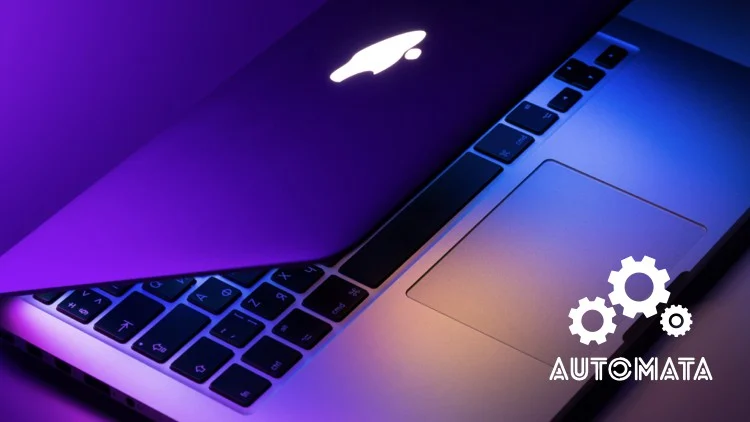
Now featuring iOS 26, iPadOS 26, and macOS 26 Tahoe! Apple macOS and iOS System Administration (2026) will teach you how to use Apple’s first party software in conjunction with the popular Mosyle MDM (Mobile Device Management) platform to manage iOS and macOS devices easily and efficiently. If you have familiarity with Apple’s operating systems from an end-user perspective but need to manage an organization of macOS or iOS endpoints, this course is for you. This course assumes no experience with system administration on Apple platforms so no prior experience is required.If you are new to system administration or just new to administrating Apple operating systems, this course will introduce you to the basic concepts of managing a handful of devices and scales to how to provide effective support to thousands of devices. The course begins by introducing the basics of Apple hardware and local system management. Tools like Apple Remote Desktop, Screen Time and Apple Configurator are used to demonstrate how to manage a small number of devices.As the course continues, you will be building a cloud-based Mobile Device Management environment using the Mosyle MDM platform. You will learn to configure over-the-air activation and device management for iPhone and iPad endpoints including device restrictions, Managed Apple Accounts, managed iOS Apps, and more. You will move on to macOS administration and learn to automate software installations, updates, and customize the user experience using configuration profiles and integrate with Identity Providers like Microsoft Entra ID for single sign-on. Taking a project-based approach, students will ‘code along’ to complete seven real-word projects utilizing a variety of the functions of the Mosyle MDM solution. From an employee “bring your own device” iPhone management to a zero-touch self-service deployment of a new MacBook to a remote employee, these projects cover many of the most in-demand skills used by Apple system administrators.Once you have completed this course, you will be fully capable of using macOS, Apple Device Enrollment, and Mosyle MDM to administer hundreds or thousands of endpoints across businesses big and small.*Photo by Dmitry Chernyshov on Unsplash
Who this course is for
IT Professionals who have to manage some number of Macs or iOS devices.
Windows System Administrators who have to support Apple platforms in their environment.
Home users who have a number of Apple devices to manage and support with-in their household.
Homepage
https://anonymz.com/?https://www.udemy.com/course/apple-macos-and-ios-system-administration-2022/
Shipping & Delivery
DIGITAL DELIVERY ONLY
This is digital product THE DOWNLOAD LINK SEND 12-24 HOURS AFTER UPON PURSUASE AND PAYMENT CLEARS"
- The digital files are uploaded on PCLOUD
- 12-24 hours delivery time
- the download links expire after 7 days and need to download them
- to renew the download link after expiration have one additional fee $5 per product
REQUESTS
Also we accept requests and course exchanges
In Course exchanges we are sending credits only
The credits will be the same price as we can sell course
"REFUNDS & RETURNS"
No Refunds on digital product
ONLY EXCHANGE
- Because of the abuse of the refunds from many customers i don't accept refunds
- We accept only 1 time exchange with product of the same price
- if you done mistake on the exchangeable product i don't recognize it as your mistake
- Exchanges only 3 days after the payment of your digital product. (if abused again i will do it 1 day)


