- Business
- Esoteric
- Fitness & Gym
- Health
- Hypnosis
- Management
- Marketing & Selling
- Massage – SPA
- Parenting
- PUA Seduction
- Science
- Self Improvement
- Art
- Investing
- Painting & Sculpting
- Tai Chi & Martial Arts
- Qigong
- Taoism
- Design & Graphics
- Medicine
- Exams
- Spirituality & Religion
- Hobbies & Fixing & Woodworking
- Photography & Film Making
- Networking & Lan
- Forex & Trading
- IQ & Memory
- Vision & Eye Care
- Swimming & Scuba diving & Water Sports
- Security & Hacking
- Travel
- Cooking
- Driving & Flighting
- Languages
- Computers & Programming
- Building & Home Improvement
- Music
- Astronomy
- History
- Mathematics
- Philosophy
- Literature & Writing
- Economics & Finance
- Sewing
- Hunting
- Electronics
- Psychology & Psychiatry
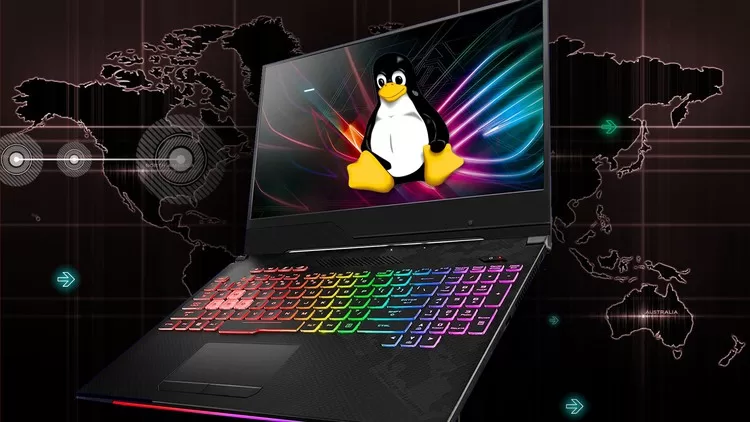


Best 5 projects to learn Linux from Zero to Hero
$5.00
Description
MP4 | Video: h264, 1280×720 | Audio: AAC, 44.1 KHz, 2 Ch
Genre: eLearning | Language: English | Duration: 9 lectures (5h 18m) | Size: 2.89 GB
Genre: eLearning | Language: English | Duration: 9 lectures (5h 18m) | Size: 2.89 GB
Make your daily office tasks more fun and easier
What you’ll learn:
Know exactly what Linux is, why everyone wants to learn it ? and how to install it?
Learn how to use it while keeping your current Windows OS.
Learn and run more than 50 linux important commands as a pro.
Work on 5 interesting projects inspired by daily office tasks.
Install more than 70 magical tools and free applications that will make your life easier.
Connect several linux PCs together and take remote control.
Know how to manage permissions to protect your files and sessions.
Go from a normal computer user to a pro.
Requirements
Only a computer
Description
Many of you have already heard of Linux while watching some movies about ethical hacking, artificial intelligence or scientific research. Others may know a colleague or someone who performs several office tasks quickly, without telling you his/her secret. Well! the secret is certainly Linux.
This operating system is actually everywhere, from smartphones to smart cars, from home desktops to companies supercomputers. So if you don’t know exactly how this wonderful operating system works, or how to use it like a pro, then this course is made specially for you.
Most of the courses available online use traditional teaching methods which make learning a bit boring even when the subject is so interesting. This is why I am offering you, as a young lecturer at the university, this course with the following three advantages:
– A futuristic and high quality design.
– A new innovative and fun teaching method.
– A minimum of theory and a maximum of practice : through 5 well chosen projects to test your knowledge.
So whatever your job, if you have a computer, you will learn through this course how to make your professional and personal tasks much easier using Linux operating system and its commands.
This course is divided into two parts, the first is an overview of the Linux system and the second concerns practical projects. The objective of the first part is to find out:
– What is Linux?
– Why everyone wants to learn this operating system? What are this advantage over other systems like Windows?
– What are the different distributions of this system? and what are the differences between them?
– How this OS was designed. And why is this design wonderful?
– How to install Linux Mint which is a very common version.
In the second part we will work on five practical projects. And in each of these projects we will discover a set of Linux commands.
– The first is the design of a system analyzer, which allows any user to easily obtain a summary of the various hardware and software components of any machine such as: processor performance, Ram, hard drive, system version etc.
– The second is the development of an automatic application installer. It allows you to install or remove up to 70 applications with a single command.
– The third is a Linux script allowing to classify a large number of files in a folder according to their type (image, documents, etc.) and their creation date. This script will also remove duplicate files to optimize the disk.
– The fourth project aims to create a Linux command that allows you to configure remote access to multiple computers without authentication.
– The last is a script that allows you to manage the different versions of a text or code file and automatically insert a personalized header.
So welcome everyone to this course which will certainly teach you a lot of skills
Who this course is for
Anyone who wants to learn Linux
HOMEPAGE
https://anonymz.com/?https://www.udemy.com/course/best-5-projects-to-learn-linux-from-zero-to-hero/
Reviews (0)
Only logged in customers who have purchased this product may leave a review.
Shipping & Delivery
DIGITAL DELIVERY ONLY
This is digital product THE DOWNLOAD LINK SEND 12-24 HOURS AFTER UPON PURSUASE AND PAYMENT CLEARS"
- The digital files are uploaded on PCLOUD
- 12-24 hours delivery time
- the download links expire after 7 days and need to download them
- to renew the download link after expiration have one additional fee $5 per product
REQUESTS
Also we accept requests and course exchanges
In Course exchanges we are sending credits only
The credits will be the same price as we can sell course
"REFUNDS & RETURNS"
No Refunds on digital product
ONLY EXCHANGE
- Because of the abuse of the refunds from many customers i don't accept refunds
- We accept only 1 time exchange with product of the same price
- if you done mistake on the exchangeable product i don't recognize it as your mistake
- Exchanges only 3 days after the payment of your digital product. (if abused again i will do it 1 day)




Reviews
There are no reviews yet.