- Business
- Esoteric
- Fitness & Gym
- Health
- Hypnosis
- Management
- Marketing & Selling
- Massage – SPA
- Parenting
- PUA Seduction
- Science
- Self Improvement
- Art
- Investing
- Painting & Sculpting
- Tai Chi & Martial Arts
- Qigong
- Taoism
- Design & Graphics
- Medicine
- Exams
- Spirituality & Religion
- Hobbies & Fixing & Woodworking
- Photography & Film Making
- Networking & Lan
- Forex & Trading
- IQ & Memory
- Vision & Eye Care
- Swimming & Scuba diving & Water Sports
- Security & Hacking
- Travel
- Cooking
- Driving & Flighting
- Languages
- Computers & Programming
- Building & Home Improvement
- Music
- Astronomy
- History
- Mathematics
- Philosophy
- Literature & Writing
- Economics & Finance
- Sewing
- Hunting
- Electronics
- Psychology & Psychiatry
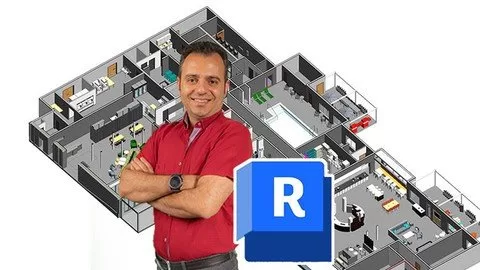


Bim- Revit Family Creation- From Zero To Advanced
$5.00
Description
Last updated 9/2025
MP4 | Video: h264, 1920×1080 | Audio: AAC, 44.1 KHz, 2 Ch
Language: English | Duration: 16h 6m | Size: 9.08 GB
Designing and Modeling Building Families From Basic Components to Complex Design Elements with Parametric Controls
What you’ll learn
Introduction to Revit Family Creation
Creating Custom Grid Heads and Level Heads in Revit Families
Building a Parametric Mullion System
Designing Custom Doors and Panels
Lighting Fixtures: Designing a Custom Lamp Shade
Four-Legged Table with Parametric Controls
Railing Systems: Designing Balusters, Rails, and Posts
Hosting and Nesting in Revit
Custom Fire Boxes and Smoke Detectors
Custom Stair Components, including Treads, Risers, and Nosing
Requirements
Basic Knowledge about Revit
Description
Note: This course is full of real-world examples of creating Revit families in various projects.Do you find that certain types of families or components are particularly difficult to create in Revit?your families are flexible and can be easily modified to meet changing design requirements?Have you ever had to create a family from scratch for a particularly unique or complex design element?In this comprehensive course, you’ll learn everything you need to know to design and create families that are both precise and adaptable.Starting with the basics of creating simple components, we’ll move on to more complex design elements like columns, beams, and even staircases. You’ll learn how to make your families parametric, so they can be easily modified to meet changing design requirements. We’ll also cover best practices for organizing your families, so you and your team can quickly and easily find the right component for your project.Headlines:Family Editor Basics: Introduction to Family Editor interface and basic tools.Parametric Family Creation: Creating flexible models using parameters and formulas.Creating Nested Families: Techniques for creating families within other families, allowing for greater flexibility in modeling.control the visibility of different elements within a family to create more dynamic and flexible models.Placing families within a Revit project and understanding how to host them to other elements in the project.Many Examples of different types of FamilyThis is a comprehensive course that every professional BIM modeler needs. Everything is explained in detail with real-world examples. Enroll now and feel free to ask me any questions throughout the course.
Overview
Section 1: Grid & Level Head
Lecture 1 Grid Head
Lecture 2 Level Head (Part 1)
Lecture 3 Level Head (Part 2)
Section 2: Editing Symbols
Lecture 4 Editing Symbols
Section 3: Mullion
Lecture 5 Mullion
Section 4: Column
Lecture 6 Column Modeling
Lecture 7 Parametric Column
Lecture 8 Hexagonal Column
Section 5: Structural Framing
Lecture 9 Structural Framing
Section 6: Door
Lecture 10 Door Modeling
Lecture 11 Curtain Wall Door
Section 7: Curtain Panel
Lecture 12 Curtain Panel
Section 8: Lampshade
Lecture 13 Lampshade
Section 9: Parametric Table
Lecture 14 Parametric Table
Section 10: Parametric Column
Lecture 15 Parametric Column (Part 1)
Lecture 16 Parametric Column (Part 2)
Lecture 17 Parametric Column (Part 3)
Section 11: Stair Details
Lecture 18 Stair Details
Section 12: Hosted Family
Lecture 19 Hosted Family
Section 13: Wall Light
Lecture 20 Wall Light
Section 14: Fire Box
Lecture 21 Fire Box
Section 15: Indian Toilet Bowl
Lecture 22 Indian Toilet Bowl
Section 16: Chandelier
Lecture 23 Chandelier
Section 17: Railing Details
Lecture 24 Railing Details
Lecture 25 Example
Lecture 26 Example
Lecture 27 Example
Section 18: Spindle Railing
Lecture 28 Spindle Railing
Section 19: Cane Railing
Lecture 29 Cane Railing
Section 20: Panel Railing
Lecture 30 Panel Railing
Section 21: Glass Railing
Lecture 31 Glass Railing
Section 22: Structural Railing
Lecture 32 Structural Railing
Section 23: Hosting
Lecture 33 Hosting
Section 24: Elemets Placement by Railing
Lecture 34 Elemets Placement by Railing
BIM Modelers,3D Modelers,Revit Users,Architects,BIM Coordinators,BIM Managers
HOMEPAGE
https://anonymz.com/?https://www.udemy.com/course/bim-revit-family-creation-from-zero-to-advanced/
Reviews (0)
Only logged in customers who have purchased this product may leave a review.
Shipping & Delivery
DIGITAL DELIVERY ONLY
This is digital product THE DOWNLOAD LINK SEND 12-24 HOURS AFTER UPON PURSUASE AND PAYMENT CLEARS"
- The digital files are uploaded on PCLOUD
- 12-24 hours delivery time
- the download links expire after 7 days and need to download them
- to renew the download link after expiration have one additional fee $5 per product
REQUESTS
Also we accept requests and course exchanges
In Course exchanges we are sending credits only
The credits will be the same price as we can sell course
"REFUNDS & RETURNS"
No Refunds on digital product
ONLY EXCHANGE
- Because of the abuse of the refunds from many customers i don't accept refunds
- We accept only 1 time exchange with product of the same price
- if you done mistake on the exchangeable product i don't recognize it as your mistake
- Exchanges only 3 days after the payment of your digital product. (if abused again i will do it 1 day)




Reviews
There are no reviews yet.