- Business
- Esoteric
- Fitness & Gym
- Health
- Hypnosis
- Management
- Marketing & Selling
- Massage – SPA
- Parenting
- PUA Seduction
- Science
- Self Improvement
- Art
- Investing
- Painting & Sculpting
- Tai Chi & Martial Arts
- Qigong
- Taoism
- Design & Graphics
- Medicine
- Exams
- Spirituality & Religion
- Hobbies & Fixing & Woodworking
- Photography & Film Making
- Networking & Lan
- Forex & Trading
- IQ & Memory
- Vision & Eye Care
- Swimming & Scuba diving & Water Sports
- Security & Hacking
- Travel
- Cooking
- Driving & Flighting
- Languages
- Computers & Programming
- Building & Home Improvement
- Music
- Astronomy
- History
- Mathematics
- Philosophy
- Literature & Writing
- Economics & Finance
- Sewing
- Hunting
- Electronics
- Psychology & Psychiatry
-75%

Certified Fire Protection Specialist (CFPS) Exam Prep Course
Original price was: $20.00.$5.00Current price is: $5.00.
Chris Ashby - AI App Builders Academy
Original price was: $100.00.$10.00Current price is: $10.00.
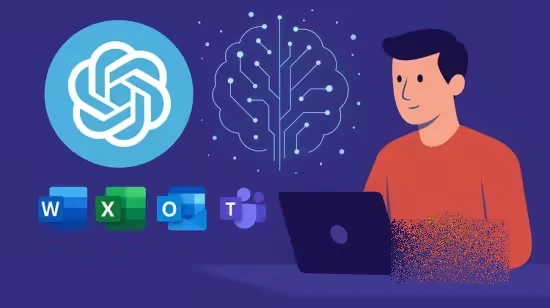
ChatGPT & Copilot for Microsoft 365 Power Users
Original price was: $20.00.$5.00Current price is: $5.00.
Description
Published 1/2026
Created by David Millard
MP4 | Video: h264, 1920×1080 | Audio: AAC, 44.1 KHz, 2 Ch
Level: All | Genre: eLearning | Language: English | Duration: 43 Lectures ( 3h 5m ) | Size: 2.36 GB
Unlock the power of AI in Word, Excel, Outlook, and Teams. Learn from an MCT how to combine ChatGPT and MS Copilot
What you’ll learn
By the end of this course, students will be able to
Use ChatGPT effectively for brainstorming, learning, summarising, and refining written content.
Apply Microsoft Copilot inside Word, Excel, Outlook, Teams, and PowerPoint to work with real files and data.
Choose confidently between ChatGPT and Copilot based on the task, context, and security needs.
Improve productivity by using AI to draft documents, analyse data, manage email, and summarise collaboration.
Understand how AI fits into Microsoft 365 workflows and how to use it responsibly in a business environment.
Requirements
To take this course, students should
Have basic familiarity with Microsoft 365 applications such as Word, Excel, Outlook, or Teams.
Have access to a computer with an internet connection.
Have a free ChatGPT account or be willing to create one.
Ideally have access to Microsoft 365, although enterprise features are demonstrated conceptually where needed.
No programming, coding, or AI background is required.
Description
This course contains the use of artificial intelligence.Transform the way you work with Microsoft 365 and AI.ChatGPT and Microsoft Copilot are changing how professionals create, communicate, and collaborate. But how do you use them effectively — and safely — in real-world Microsoft 365 workflows?In this hands-on course, you’ll learn how to combine ChatGPT’s creativity and flexibility with Microsoft Copilot’s built-in power to save hours every week across Word, Excel, Outlook, and Teams.You’ll learn from a Microsoft Certified Trainer (MCT) with over 8,700 students and a 4.6+ instructor rating, known for practical, clear, and engaging instruction.What You’ll LearnHow to use ChatGPT and Copilot together for maximum productivityTime-saving prompt techniques for business writing, analysis, and reportingAutomating repetitive work in Word, Excel, Outlook, and TeamsGenerating formulas, VBA snippets, and summaries with ChatGPTComparing ChatGPT vs Copilot — and knowing when to use eachSetting up safe and responsible AI workflows in your Microsoft 365 environmentReal-world examples: meeting notes, reports, dashboards, and templatesReal Projects You’ll BuildAn AI-powered “Prompt Library” inside Word or OneNoteA ChatGPT-assisted Excel report with automated formulasAn Outlook + ChatGPT email workflow that drafts and refines your messagesA Power Automate flow that uses ChatGPT to summarize data or documentsA capstone “AI productivity system” customized for your own daily tasks Who This Course Is ForMicrosoft 365 users who want to integrate AI into their daily workflowBusiness professionals, project managers, and administratorsTrainers and IT professionals looking to modernize their teaching or supportAnyone curious about the power of ChatGPT and Microsoft CopilotRequirementsA Microsoft 365 account (any version)Optional: access to ChatGPT (free or Plus)No prior AI experience requiredThe examples in this course are demonstrated using Microsoft 365, but the principles apply across many professional roles and industries.
Who this course is for
This course is designed for
Professionals who use Microsoft 365 and want to work more efficiently with AI tools.
Business users who want practical, real-world guidance on ChatGPT and Microsoft Copilot.
Managers, analysts, administrators, and knowledge workers looking to improve productivity.
Microsoft 365 users who want clarity on how and when to use ChatGPT versus Copilot.
Anyone curious about applying AI responsibly in everyday work, without learning to code.
Homepage
https://anonymz.com/?https://www.udemy.com/course/chatgpt-copilot-for-microsoft-365-users/
Shipping & Delivery
DIGITAL DELIVERY ONLY
This is digital product THE DOWNLOAD LINK SEND 12-24 HOURS AFTER UPON PURSUASE AND PAYMENT CLEARS"
- The digital files are uploaded on PCLOUD
- 12-24 hours delivery time
- the download links expire after 7 days and need to download them
- to renew the download link after expiration have one additional fee $5 per product
REQUESTS
Also we accept requests and course exchanges
In Course exchanges we are sending credits only
The credits will be the same price as we can sell course
"REFUNDS & RETURNS"
No Refunds on digital product
ONLY EXCHANGE
- Because of the abuse of the refunds from many customers i don't accept refunds
- We accept only 1 time exchange with product of the same price
- if you done mistake on the exchangeable product i don't recognize it as your mistake
- Exchanges only 3 days after the payment of your digital product. (if abused again i will do it 1 day)


