- Business
- Esoteric
- Fitness & Gym
- Health
- Hypnosis
- Management
- Marketing & Selling
- Massage – SPA
- Parenting
- PUA Seduction
- Science
- Self Improvement
- Art
- Investing
- Painting & Sculpting
- Tai Chi & Martial Arts
- Qigong
- Taoism
- Design & Graphics
- Medicine
- Exams
- Spirituality & Religion
- Hobbies & Fixing & Woodworking
- Photography & Film Making
- Networking & Lan
- Forex & Trading
- IQ & Memory
- Vision & Eye Care
- Swimming & Scuba diving & Water Sports
- Security & Hacking
- Travel
- Cooking
- Driving & Flighting
- Languages
- Computers & Programming
- Building & Home Improvement
- Music
- Astronomy
- History
- Mathematics
- Philosophy
- Literature & Writing
- Economics & Finance
- Sewing
- Hunting
- Electronics
- Psychology & Psychiatry
-75%

Claude for Work: Learn to Work Faster and Smarter
Original price was: $20.00.$5.00Current price is: $5.00.
Computational Fluid Dynamics (CFD) Using ANSYS Fluent
Original price was: $20.00.$5.00Current price is: $5.00.
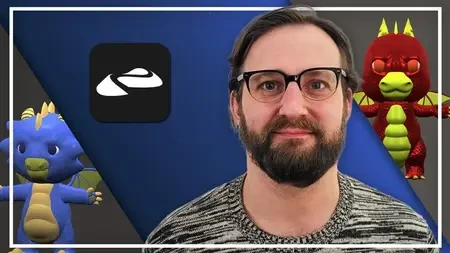
Complete Nomad Sculpt Course: Beginner To Expert
Original price was: $20.00.$5.00Current price is: $5.00.
Description
Published 1/2026
MP4 | Video: h264, 1920×1080 | Audio: AAC, 44.1 KHz
Language: English | Size: 7.86 GB | Duration: 6h 10m
Create stylized props, characters, and a baby dragon ready for 3D modeling, game dev, and 3D printing workflows!
What you’ll learn
How to navigate Nomad Sculpt: interface, brushes, scene management, and exports
The seven core brushes and how to use them for confident, clean sculpting
How to create stylized crates, potion bottles, rocks, and lanterns
How to sculpt plants, flowers, and mini gardens with appealing composition
How to design, sculpt, detail, paint, and light a baby dragon
The difference between high-resolution 3D modeling and game development needs
How to export to Blender, 3D printing, Sketchfab, and game engines
How to think about scale, topology, and silhouette from the very beginning
Practical workflows for portfolio creation and presentation
Requirements
No prior 3D or sculpting experience required – this course starts from zero
Nomad Sculpt app installed
A desire to learn and practice!
Description
Have you ever wanted to create your own 3D characters, props, or creatures, without a big PC setup or expensive desktop software? Nomad Sculpt lets you model, sculpt, and paint directly on your tablet, phone or computer. This course shows you exactly how to go from complete beginner to creating a finished, portfolio-ready baby dragon, while also understanding how your sculpts can fit into 3D modeling, game development, and 3D printing pipelines.We begin with the fundamentals: how Nomad works, how it differs from tools like Blender and ZBrush, and how to navigate the interface, brushes, and scene. You’ll learn orbit, pan, zoom, symmetry, brush settings, and file organization, and you’ll complete your first simple sculpt and export test, so you immediately see how scale and orientation affect your model in other tools.From there, we move into stylized props like crates, potion bottles, hero rocks, and a glowing lantern. You’ll learn about clean planes, edge control, stylized damage, emissive materials, and readability, always with an eye on what can stay high-poly for beautiful renders and what would need simplifying for real-time engines.Next, you’ll explore organic sculpting with plants and flowers: using masks and extract for leaves, curves for stems, and composition principles to create a mini garden scene with convincing silhouettes and color blocking.In the capstone chapter, we bring everything together by sculpting a baby dragon from scratch. You’ll block out the main forms, refine the anatomy and shapes, add scales and membranes, paint colors and eyes, set up lighting and depth of field, and export a turntable ready for your portfolio or client work.Throughout the course you’ll find downloadable reference boards, cheat sheets, practice files, assignments, and portfolio tips.If you’re a beginner who wants a clear path from first sculpt to a polished baby dragon – and a solid understanding of how Nomad Sculpt fits into modern 3D workflows, this course is for you.After taking this course, you will be able to:Confidently use Nomad Sculpt’s tools, brushes, and interface on your tablet or phoneSculpt stylized props, plants, and creatures from basic primitivesMake informed decisions about scale, detail, and topology for different end usesPrepare sculpts suitable for 3D modeling renders, concept art, or illustrationPlan and adapt your models for future game-ready retopology and animationExport models correctly for Blender, game engines, Sketchfab, and 3D printingBuild and present a portfolio-ready baby dragon, complete with lighting and turntableUse downloadable cheat sheets, reference packs, and practice files to keep improvingDescribe your workflow clearly in a case study or portfolio entryContinue creating your own stylized characters and environments with a repeatable Nomad workflow
Complete beginners who want to start 3D sculpting,2D artists or illustrators who want to step into 3D concept sculpting,Beginner 3D artists coming from Blender/ZBrush who want a mobile workflow,Aspiring game artists who want to understand sculpting for game-ready assets,Hobbyists interested in 3D printing or sharing sculpts on ArtStation/Sketchfab,Anyone who wants to create a portfolio-ready baby dragon and stylized props
Homepage
Https://anonymz.com/?https://www.udemy.com/course/complete-nomad-sculpt-course-beginner-to-expert/
Shipping & Delivery
DIGITAL DELIVERY ONLY
This is digital product THE DOWNLOAD LINK SEND 12-24 HOURS AFTER UPON PURSUASE AND PAYMENT CLEARS"
- The digital files are uploaded on PCLOUD
- 12-24 hours delivery time
- the download links expire after 7 days and need to download them
- to renew the download link after expiration have one additional fee $5 per product
REQUESTS
Also we accept requests and course exchanges
In Course exchanges we are sending credits only
The credits will be the same price as we can sell course
"REFUNDS & RETURNS"
No Refunds on digital product
ONLY EXCHANGE
- Because of the abuse of the refunds from many customers i don't accept refunds
- We accept only 1 time exchange with product of the same price
- if you done mistake on the exchangeable product i don't recognize it as your mistake
- Exchanges only 3 days after the payment of your digital product. (if abused again i will do it 1 day)


