- Business
- Esoteric
- Fitness & Gym
- Health
- Hypnosis
- Management
- Marketing & Selling
- Massage – SPA
- Parenting
- PUA Seduction
- Science
- Self Improvement
- Art
- Investing
- Painting & Sculpting
- Tai Chi & Martial Arts
- Qigong
- Taoism
- Design & Graphics
- Medicine
- Exams
- Spirituality & Religion
- Hobbies & Fixing & Woodworking
- Photography & Film Making
- Networking & Lan
- Forex & Trading
- IQ & Memory
- Vision & Eye Care
- Swimming & Scuba diving & Water Sports
- Security & Hacking
- Travel
- Cooking
- Driving & Flighting
- Languages
- Computers & Programming
- Building & Home Improvement
- Music
- Astronomy
- History
- Mathematics
- Philosophy
- Literature & Writing
- Economics & Finance
- Sewing
- Hunting
- Electronics
- Psychology & Psychiatry
-75%

Derivatives Masterclass: Futures, Options, Swaps & Pricing
Original price was: $20.00.$5.00Current price is: $5.00.
DUIDs in Play: IPv6 All the Way
Original price was: $20.00.$5.00Current price is: $5.00.
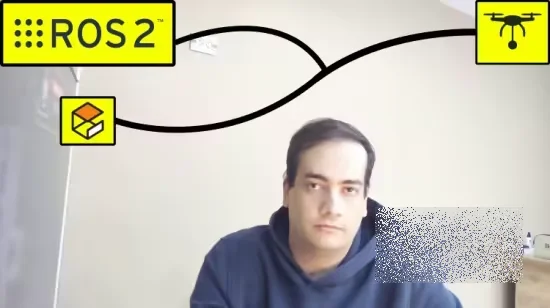
Drone Simulation Using ROS 2 and Gazebo
Original price was: $20.00.$5.00Current price is: $5.00.
Description
Published 12/2025
Created by Mouad Boumediene
MP4 | Video: h264, 1920×1080 | Audio: AAC, 44.1 KHz, 2 Ch
Level: Beginner | Genre: eLearning | Language: English | Duration: 6 Lectures ( 30m ) | Size: 466 MB
Learn drone simulation from scratch: set up Ubuntu, add ROS 2 and Gazebo, and fly a basic quadcopter.
What you’ll learn
Build a complete beginner-friendly drone simulation using ROS 2 and Gazebo.
Install and configure PX4 SITL to fly a virtual quadcopter for drone and robotics projects
Use QGroundControl to arm, take off, land, and manually control a simulated drone
Connect the simulated drone to ROS 2, stream camera data, and visualize it for robot perception tasks
Requirements
Ubuntu 24.04 LTS
No prior experience with ROS 2, Gazebo, or drones is needed
No coding experience is needed
Description
This course is a practical, beginner-friendly introduction to drone simulation using ROS 2 and Gazebo. Starting from a clean Ubuntu 24.04 system, you will set up a full stack with ROS 2 Jazzy, Gazebo, PX4 SITL, QGroundControl, and a camera bridge into ROS 2.The focus is on getting a working simulation as quickly and reliably as possible, without long theoretical detours. Each step is shown on screen and documented in the included “Tutorial Notes” so you can simply copy, paste, and follow along. No prior experience with ROS 2, Gazebo, or PX4 is required.By the end of this course, you will be able to:Install and configure ROS 2 Jazzy and the Gazebo simulator on Ubuntu 24.04Install PX4-Autopilot, run the x500 quadcopter in software-in-the-loop (SITL), and understand the basic console workflowAdjust key PX4 parameters, arm the drone, take off, hover, and landConnect QGroundControl, use the virtual joystick, and send simple autonomous commandsBridge the simulated camera into ROS 2 using ros_gz_bridge and visualize the live video stream with rqt_image_viewThe resulting project is a solid base you can reuse for your own research or hobby work: offboard control, AI-based navigation, mapping, or even later connecting similar PX4 configurations to real drones. The course is intentionally short and focused, so you can complete it in an evening and come away with a concrete, repeatable setup for drone robotics experiments.
Who this course is for
Beginners in drones and robotics who want a practical first project.
ROS 2 and Gazebo begginers who want a step-by-step simulation setup.
Drone hobbyists who want to test ideas in simulation before flying real hardware
Learners who want a concrete drone/robotics project to showcase on their CV or portfolio
Homepage
https://anonymz.com/?https://www.udemy.com/course/ros2-drone-simulation-with-gazebo/
Shipping & Delivery
DIGITAL DELIVERY ONLY
This is digital product THE DOWNLOAD LINK SEND 12-24 HOURS AFTER UPON PURSUASE AND PAYMENT CLEARS"
- The digital files are uploaded on PCLOUD
- 12-24 hours delivery time
- the download links expire after 7 days and need to download them
- to renew the download link after expiration have one additional fee $5 per product
REQUESTS
Also we accept requests and course exchanges
In Course exchanges we are sending credits only
The credits will be the same price as we can sell course
"REFUNDS & RETURNS"
No Refunds on digital product
ONLY EXCHANGE
- Because of the abuse of the refunds from many customers i don't accept refunds
- We accept only 1 time exchange with product of the same price
- if you done mistake on the exchangeable product i don't recognize it as your mistake
- Exchanges only 3 days after the payment of your digital product. (if abused again i will do it 1 day)


