- Business
- Esoteric
- Fitness & Gym
- Health
- Hypnosis
- Management
- Marketing & Selling
- Massage – SPA
- Parenting
- PUA Seduction
- Science
- Self Improvement
- Art
- Investing
- Painting & Sculpting
- Tai Chi & Martial Arts
- Qigong
- Taoism
- Design & Graphics
- Medicine
- Exams
- Spirituality & Religion
- Hobbies & Fixing & Woodworking
- Photography & Film Making
- Networking & Lan
- Forex & Trading
- IQ & Memory
- Vision & Eye Care
- Swimming & Scuba diving & Water Sports
- Security & Hacking
- Travel
- Cooking
- Driving & Flighting
- Languages
- Computers & Programming
- Building & Home Improvement
- Music
- Astronomy
- History
- Mathematics
- Philosophy
- Literature & Writing
- Economics & Finance
- Sewing
- Hunting
- Electronics
- Psychology & Psychiatry
-75%

Employing Devops Skills in LAMP (Linux-Apache-Mysql and PHP)
Original price was: $20.00.$5.00Current price is: $5.00.

Fully Accredited Professional Certificate in Meditation
Original price was: $20.00.$5.00Current price is: $5.00.
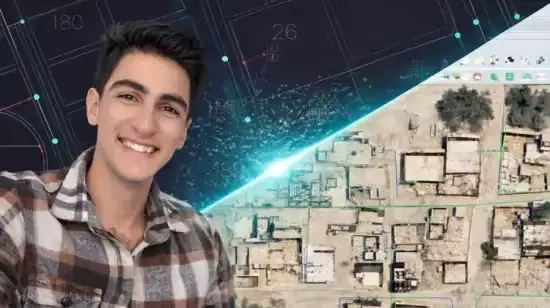
FTTH Network Planning using QGIS & AutoCAD
Original price was: $20.00.$5.00Current price is: $5.00.
Description
Last updated 1/2026
MP4 | Video: h264, 1920×1080 | Audio: AAC, 44.1 KHz, 2 Ch
Language: English | Duration: 2h 29m | Size: 3.79 GB
Design Fiber-to-the-Home (FTTH) networks using QGIS and AutoCAD – from theory to real projects
What you’ll learn
Design full FTTH network layouts from scratch using AutoCAD and QGIS for efficient fiber routing and distribution.
Master the integration between GIS spatial data and CAD precision to create accurate telecommunication infrastructure maps.
Plan high-level (HLD) and low-level designs (LLD), including Splitter placement, FAT, and FDT locations.
Perform geospatial analysis in QGIS to optimize cable lengths and minimize implementation costs.
Generate professional Bill of Quantities (BOQ) and technical documentation required for FTTH project approvals.
Requirements
Basic knowledge of telecommunication concepts.
computer with AutoCAD and QGIS (Free/Open Source) installed to follow along with the practical exercises.
Description
This course teaches you how to design Fiber-to-the-Home (FTTH) networks using QGIS and AutoCAD.You will learn fiber optic network planning, outside plant (OSP) design, routing, cabinets, splitters, and real-world FTTH workflows.The course is designed for telecom engineers, GIS engineers, and anyone interested in fiber network design.In this course, you will start by understanding the fundamentals of FTTH network architecture, including feeder, distribution, and drop network concepts. You will learn how to analyze service areas, prepare GIS data, and organize spatial layers for efficient fiber planning.The course provides hands-on training using QGIS to perform clustering, centroid generation, and shortest path routing based on real road networks. You will learn how to design optimized fiber routes, calculate distances, and prepare network layouts suitable for real deployment scenarios. Practical workflows are explained step by step, focusing on automation and accuracy.Using AutoCAD, you will learn how to prepare clean and professional fiber network drawings, including ducts, handholes, cabinets, and fiber routes. The course also covers essential design considerations such as splitter placement, cabinet sizing, and network scalability.This course is based on real telecom projects and industry practices, making it ideal for engineers who want practical skills rather than theory only. By the end of the course, you will be able to design complete FTTH networks from scratch and apply these skills in real-world telecom projects, consultancy work, or professional network planning roles.
Who this course is for
Telecom Engineers and GIS Specialists looking to specialize in fiber optic network planning and design.
Engineering students or fresh graduates aiming to gain highly demanded practical skills in the fiber optics market.
Homepage
https://www.udemy.com/course/ftth-planning-qgis-cad/
Shipping & Delivery
DIGITAL DELIVERY ONLY
This is digital product THE DOWNLOAD LINK SEND 12-24 HOURS AFTER UPON PURSUASE AND PAYMENT CLEARS"
- The digital files are uploaded on PCLOUD
- 12-24 hours delivery time
- the download links expire after 7 days and need to download them
- to renew the download link after expiration have one additional fee $5 per product
REQUESTS
Also we accept requests and course exchanges
In Course exchanges we are sending credits only
The credits will be the same price as we can sell course
"REFUNDS & RETURNS"
No Refunds on digital product
ONLY EXCHANGE
- Because of the abuse of the refunds from many customers i don't accept refunds
- We accept only 1 time exchange with product of the same price
- if you done mistake on the exchangeable product i don't recognize it as your mistake
- Exchanges only 3 days after the payment of your digital product. (if abused again i will do it 1 day)


