- Business
- Esoteric
- Fitness & Gym
- Health
- Hypnosis
- Management
- Marketing & Selling
- Massage – SPA
- Parenting
- PUA Seduction
- Science
- Self Improvement
- Art
- Investing
- Painting & Sculpting
- Tai Chi & Martial Arts
- Qigong
- Taoism
- Design & Graphics
- Medicine
- Exams
- Spirituality & Religion
- Hobbies & Fixing & Woodworking
- Photography & Film Making
- Networking & Lan
- Forex & Trading
- IQ & Memory
- Vision & Eye Care
- Swimming & Scuba diving & Water Sports
- Security & Hacking
- Travel
- Cooking
- Driving & Flighting
- Languages
- Computers & Programming
- Building & Home Improvement
- Music
- Astronomy
- History
- Mathematics
- Philosophy
- Literature & Writing
- Economics & Finance
- Sewing
- Hunting
- Electronics
- Psychology & Psychiatry
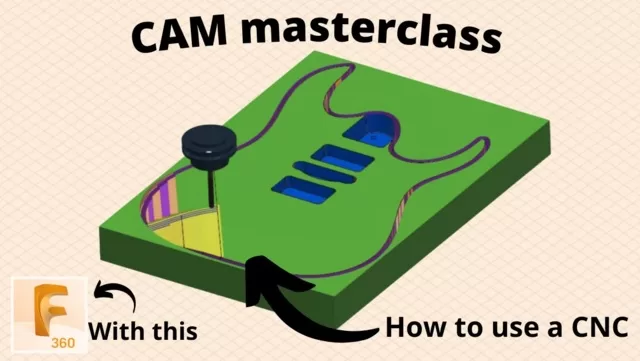


Fusion 360 for CNC – A CAM masterclass
$5.00
Description
Duration: 1h 55m | 18 Lessons | Video: 1280×720, 44kHz | 1.6 GB
Genre: eLearning | Language: English | Level: Beginner
Genre: eLearning | Language: English | Level: Beginner
In this class you’ll learn to create toolpaths for a CNC in Fusion 360. This is what’s called CAM (Computer-aided manufacturing).
Do you have a CNC and don’t know how to use it?
Do you feel like you know how to use it but are really just guessing?
Does your local maker space has a CNC and you’re intimidated by it?
Do you already know CAM but want to improve your understanding of it?
Do you want a machine to do all the hard work and make money for you? (Of course you do!)
If you see yourself in any of these statements then this class is for you. I’ve made this class for anyone who wants to learn CAM through Fusion 360. CAM stands for Computer-aided manufacturing so in this class we’ll be creating toolpaths that a CNC can follow to machine different kinds of material and shapes. In other words, we’ll be doing the prep work and the CNC will be doing the heavy and precise lifting for us.
My main motivation with building this class was this : Fusion has made it too easy to create toolpaths for a CNC. With a few clicks you’ll have a set of instructions for your CNC and as much as this is great, it’s also terrifying. We’re not dealing with a small 3D printer here, we have a spinning tool moving at a rapid pace that is very dangerous if not tamed properly. So for this reason, I wanted to not only show people how to use Fusion, but more importantly provide you with the knowledge you’ll need to make smart decisions and learn to program your CNC safely and efficiently.
With hobbyist CNCs becoming more affordable and accessible (which is great!) I believe that it’s important to educate people as much as possible to the world of CAM. And with Fusion 360 offering a great and free CAM solution, the timing has never been this good for us to dive into this wonderful subject together!
This class covers everything from importing parts to exporting a g-code with everything in between, including 2D and 3D toolpaths, calculating feeds and speeds, running tests, double sided machining and much more.
So I want to welcome you and thank you for joining my class. Feedback is appreciated, and make sure to share your personal projects!
Reviews (0)
Only logged in customers who have purchased this product may leave a review.
Shipping & Delivery
DIGITAL DELIVERY ONLY
This is digital product THE DOWNLOAD LINK SEND 12-24 HOURS AFTER UPON PURSUASE AND PAYMENT CLEARS"
- The digital files are uploaded on PCLOUD
- 12-24 hours delivery time
- the download links expire after 7 days and need to download them
- to renew the download link after expiration have one additional fee $5 per product
REQUESTS
Also we accept requests and course exchanges
In Course exchanges we are sending credits only
The credits will be the same price as we can sell course
"REFUNDS & RETURNS"
No Refunds on digital product
ONLY EXCHANGE
- Because of the abuse of the refunds from many customers i don't accept refunds
- We accept only 1 time exchange with product of the same price
- if you done mistake on the exchangeable product i don't recognize it as your mistake
- Exchanges only 3 days after the payment of your digital product. (if abused again i will do it 1 day)


Reviews
There are no reviews yet.