- Business
- Esoteric
- Fitness & Gym
- Health
- Hypnosis
- Management
- Marketing & Selling
- Massage – SPA
- Parenting
- PUA Seduction
- Science
- Self Improvement
- Art
- Investing
- Painting & Sculpting
- Tai Chi & Martial Arts
- Qigong
- Taoism
- Design & Graphics
- Medicine
- Exams
- Spirituality & Religion
- Hobbies & Fixing & Woodworking
- Photography & Film Making
- Networking & Lan
- Forex & Trading
- IQ & Memory
- Vision & Eye Care
- Swimming & Scuba diving & Water Sports
- Security & Hacking
- Travel
- Cooking
- Driving & Flighting
- Languages
- Computers & Programming
- Building & Home Improvement
- Music
- Astronomy
- History
- Mathematics
- Philosophy
- Literature & Writing
- Economics & Finance
- Sewing
- Hunting
- Electronics
- Psychology & Psychiatry
-75%

Gentle Facial Brush Massage for Youthful, Relaxed Skin
Original price was: $20.00.$5.00Current price is: $5.00.

GO Programming: The Complete Guide to Golang Development
Original price was: $20.00.$5.00Current price is: $5.00.
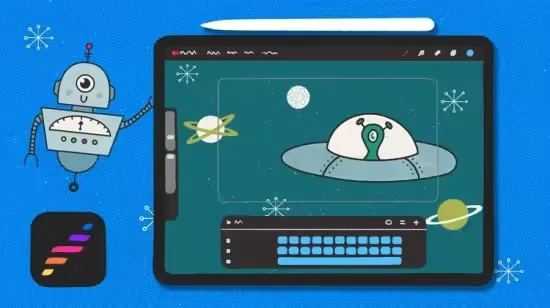
Getting Started with Procreate Dreams 2
Original price was: $20.00.$5.00Current price is: $5.00.
Description
Published 1/2026
MP4 | Video: h264, 1920×1080 | Audio: AAC, 44.1 KHz, 2 Ch
Language: English | Duration: 50m | Size: 1.69 GB
Kickstart your animation adventure in Procreate Dreams 2
What you’ll learn
How to set up a file and get started in Procreate Dreams 2
How to animate using keyframes
How to animate using frame by frame animation in Flipbook mode
How to animate using the Perform tool
How to export your animations as video or gifs
Requirements
iPad
Procreate Dreams
Apple Pencil
Description
Kickstart your animation adventure with this fun exploration of Procreate Dreams 2! In this interactive class, we’ll explore all the cool features of Procreate Dreams while working on a really fun space-themed animation. You don’t need any prior experience to join in. I’ve designed this class to be welcoming for absolute beginners, as well as anyone looking to get up to speed with the latest updates.Together, we’ll:Set up your project and get you feeling confident from the startTry out three different animation techniques: Keyframing, Frame-by-frame, and PerformingLearn some key animation principles like Anticipation, Overshoot, and Follow Through to make your animations popFinish up by exporting your work as a video or GIF to share with the worldAll you need is an iPad, the Procreate Dreams app, and an Apple Pencil. I’ve also included some starter files to make following along easy and fun.My goal is for you to walk away with a solid understanding of Procreate Dreams’ animation tools and how you can use them to bring any idea to life. If you’re ready to have some fun, learn something new, and make a fun space project, I’d love to see you in class.
Who this course is for
Procreate Dreams beginners or current users looking to learn the new features.
Homepage
https://www.udemy.com/course/getting-started-with-procreate-dreams-2/
Shipping & Delivery
DIGITAL DELIVERY ONLY
This is digital product THE DOWNLOAD LINK SEND 12-24 HOURS AFTER UPON PURSUASE AND PAYMENT CLEARS"
- The digital files are uploaded on PCLOUD
- 12-24 hours delivery time
- the download links expire after 7 days and need to download them
- to renew the download link after expiration have one additional fee $5 per product
REQUESTS
Also we accept requests and course exchanges
In Course exchanges we are sending credits only
The credits will be the same price as we can sell course
"REFUNDS & RETURNS"
No Refunds on digital product
ONLY EXCHANGE
- Because of the abuse of the refunds from many customers i don't accept refunds
- We accept only 1 time exchange with product of the same price
- if you done mistake on the exchangeable product i don't recognize it as your mistake
- Exchanges only 3 days after the payment of your digital product. (if abused again i will do it 1 day)


