- Business
- Esoteric
- Fitness & Gym
- Health
- Hypnosis
- Management
- Marketing & Selling
- Massage – SPA
- Parenting
- PUA Seduction
- Science
- Self Improvement
- Art
- Investing
- Painting & Sculpting
- Tai Chi & Martial Arts
- Qigong
- Taoism
- Design & Graphics
- Medicine
- Exams
- Spirituality & Religion
- Hobbies & Fixing & Woodworking
- Photography & Film Making
- Networking & Lan
- Forex & Trading
- IQ & Memory
- Vision & Eye Care
- Swimming & Scuba diving & Water Sports
- Security & Hacking
- Travel
- Cooking
- Driving & Flighting
- Languages
- Computers & Programming
- Building & Home Improvement
- Music
- Astronomy
- History
- Mathematics
- Philosophy
- Literature & Writing
- Economics & Finance
- Sewing
- Hunting
- Electronics
- Psychology & Psychiatry
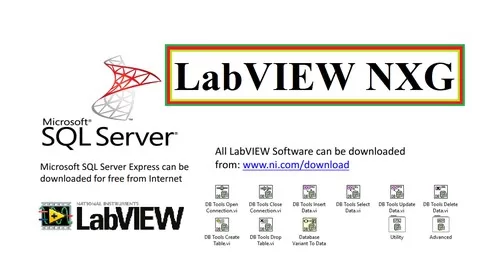


IoT using LabVIEW NXG
$5.00
Description
Last Update: 4/2021
Duration: 4h 25m | Video: .MP4, 1280×720 30 fps | Audio: AAC, 44.1 kHz, 2ch | Size: 1.78 GB
Genre: eLearning | Language: English
Duration: 4h 25m | Video: .MP4, 1280×720 30 fps | Audio: AAC, 44.1 kHz, 2ch | Size: 1.78 GB
Genre: eLearning | Language: English
LabVIEW Next Generation
What you’ll learn:
LabVIEW is a graphical programming language, and it has powerful features for simulation, control, monitoring and DAQ applications.
Requirements:
Just a logical thinker. Any one can learn it
Description:
LabVIEW NXG and SQL in LabVIEW aims to teach LabVIEW NXG and SQL in LabVIEWfor those who are inexperienced and have not enough knowledge about it. In this course, despite teaching fundamental concepts, It has been tried to design some applicative projects in order to acquaint students with programming in the real world of engineering. Laboratory Virtual Instrument Engineering Workbench (LabVIEW) is a system-design platform and development environment for a visual (graphical) programming language from National Instruments.
LabVIEW solves engineering challenges across a broad range of application areas. Hence it is an indispensable skill to have.
LabVIEW is a Systems Engineering Software for applications that require test, measurement, and control.
Participants will get exposure to LabVIEW-based application development using standard PC-based software and interfacing field instruments through Data Acquisition Hardware.
Many startups use LabVIEW for rapid prototyping, building breadboard and proof of concept systems prior to building the final shipping products.
LabVIEW is especially valuable for companies who want to ship complex systems that need all of the embedded software, FPGA software, and client applications for the same product as LabVIEW allows developing the whole stack in a single high-level language cutting the total development cost and time significantly.
In addition, many companies use it for testbeds, R&D tools, and manufacturing and service tools for hardware products that were developed using some other embedded programming languages.
In this course,
First, download LabVIEW NXG software, and then Microsoft SQL server management studio.
Here you can learn
LabVIEW NXG Basics.
SQL Server in LabVIEW.
Arduino interfacing with LabVIEW
Who this course is for:
Students who are fed up with text-based programming.
HOMEPAGE
https://www.udemy.com/course/labview-nxg-sql-server/
Reviews (0)
Only logged in customers who have purchased this product may leave a review.
Shipping & Delivery
DIGITAL DELIVERY ONLY
This is digital product THE DOWNLOAD LINK SEND 12-24 HOURS AFTER UPON PURSUASE AND PAYMENT CLEARS"
- The digital files are uploaded on PCLOUD
- 12-24 hours delivery time
- the download links expire after 7 days and need to download them
- to renew the download link after expiration have one additional fee $5 per product
REQUESTS
Also we accept requests and course exchanges
In Course exchanges we are sending credits only
The credits will be the same price as we can sell course
"REFUNDS & RETURNS"
No Refunds on digital product
ONLY EXCHANGE
- Because of the abuse of the refunds from many customers i don't accept refunds
- We accept only 1 time exchange with product of the same price
- if you done mistake on the exchangeable product i don't recognize it as your mistake
- Exchanges only 3 days after the payment of your digital product. (if abused again i will do it 1 day)


Reviews
There are no reviews yet.