- Business
- Esoteric
- Fitness & Gym
- Health
- Hypnosis
- Management
- Marketing & Selling
- Massage – SPA
- Parenting
- PUA Seduction
- Science
- Self Improvement
- Art
- Investing
- Painting & Sculpting
- Tai Chi & Martial Arts
- Qigong
- Taoism
- Design & Graphics
- Medicine
- Exams
- Spirituality & Religion
- Hobbies & Fixing & Woodworking
- Photography & Film Making
- Networking & Lan
- Forex & Trading
- IQ & Memory
- Vision & Eye Care
- Swimming & Scuba diving & Water Sports
- Security & Hacking
- Travel
- Cooking
- Driving & Flighting
- Languages
- Computers & Programming
- Building & Home Improvement
- Music
- Astronomy
- History
- Mathematics
- Philosophy
- Literature & Writing
- Economics & Finance
- Sewing
- Hunting
- Electronics
- Psychology & Psychiatry
-75%

Kinetic Typography for Creative Block
Original price was: $20.00.$5.00Current price is: $5.00.

Learn Solidity Blockchain: Build, Test & Deploy Secure ETH
Original price was: $20.00.$5.00Current price is: $5.00.
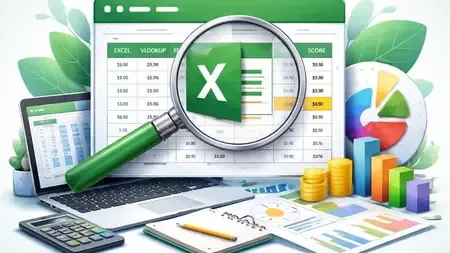
Learn Excel VLOOKUP from Scratch
Original price was: $20.00.$5.00Current price is: $5.00.
Description
Published 1/2026
Created by Bittoo Bansal
MP4 | Video: h264, 1920×1080 | Audio: AAC, 44.1 KHz, 2 Ch
Level: Intermediate | Genre: eLearning | Language: English + subtitle | Duration: 13 Lectures ( 1h 24m ) | Size: 1.04 GB
From basic to advanced VLOOKUP with practical Excel examples used in real office work
What you’ll learn
Understand the complete concept and logic of VLOOKUP using real-life Excel examples
Apply basic to advanced VLOOKUP formulas confidently in practical business scenarios
Use VLOOKUP with multiple tables, sheets, and dynamic table arrays
Handle exact match, range lookup, nested VLOOKUP, and multiple result situations
Requirements
Basic knowledge of using a computer and mouse is sufficient
Microsoft Excel installed on your system (any version is fine)
No prior Excel formulas or VLOOKUP knowledge required
Willingness to practice along with real-life Excel examples
Description
Excel is one of the most important skills in today’s job market, and VLOOKUP is one of the most powerful and widely used functions in Excel. Whether you are a student, job seeker, or working professional, mastering VLOOKUP can save you hours of manual work and make you more confident while handling data.This course “Master VLOOKUP in Excel – From Beginner to Advanced with Real-Life Examples” is designed to help you learn VLOOKUP from scratch, step by step, with practical and real-life Excel examples. No prior Excel formula knowledge is required.In this course, you will first understand why VLOOKUP is needed and how it is used in real office situations like employee data, salary sheets, sales reports, student records, and inventory management. You will then learn the complete logic and structure of VLOOKUP, followed by basic to advanced formula applications.You will learn how to use VLOOKUP in multiple situations, work with dynamic table arrays, handle exact match and range lookup, and apply nested VLOOKUP for complex scenarios. This course also covers multi-table VLOOKUP and VLOOKUP across multiple sheets, which are commonly used in corporate and office environments.Special attention is given to common errors, practical tips, and best practices so that you can use VLOOKUP confidently without confusion. The teaching style is simple, practical, and easy to follow, making it perfect even for beginners.By the end of this course, you will be able to use VLOOKUP professionally in real-life Excel work, improve your productivity, and strengthen your Excel skills for jobs, interviews, and daily office tasks.Enroll now and take your Excel skills to the next level
Who this course is for
Beginners who want to learn VLOOKUP in Excel from scratch
Students who want to improve their Excel skills for studies and projects
Working professionals who use Excel in daily office work
Anyone who wants to save time and work professionally in Excel
Homepage
https://anonymz.com/?https://www.udemy.com/course/learn-excel-vlookup-from-scratch/
Shipping & Delivery
DIGITAL DELIVERY ONLY
This is digital product THE DOWNLOAD LINK SEND 12-24 HOURS AFTER UPON PURSUASE AND PAYMENT CLEARS"
- The digital files are uploaded on PCLOUD
- 12-24 hours delivery time
- the download links expire after 7 days and need to download them
- to renew the download link after expiration have one additional fee $5 per product
REQUESTS
Also we accept requests and course exchanges
In Course exchanges we are sending credits only
The credits will be the same price as we can sell course
"REFUNDS & RETURNS"
No Refunds on digital product
ONLY EXCHANGE
- Because of the abuse of the refunds from many customers i don't accept refunds
- We accept only 1 time exchange with product of the same price
- if you done mistake on the exchangeable product i don't recognize it as your mistake
- Exchanges only 3 days after the payment of your digital product. (if abused again i will do it 1 day)


