- Business
- Esoteric
- Fitness & Gym
- Health
- Hypnosis
- Management
- Marketing & Selling
- Massage – SPA
- Parenting
- PUA Seduction
- Science
- Self Improvement
- Art
- Investing
- Painting & Sculpting
- Tai Chi & Martial Arts
- Qigong
- Taoism
- Design & Graphics
- Medicine
- Exams
- Spirituality & Religion
- Hobbies & Fixing & Woodworking
- Photography & Film Making
- Networking & Lan
- Forex & Trading
- IQ & Memory
- Vision & Eye Care
- Swimming & Scuba diving & Water Sports
- Security & Hacking
- Travel
- Cooking
- Driving & Flighting
- Languages
- Computers & Programming
- Building & Home Improvement
- Music
- Astronomy
- History
- Mathematics
- Philosophy
- Literature & Writing
- Economics & Finance
- Sewing
- Hunting
- Electronics
- Psychology & Psychiatry
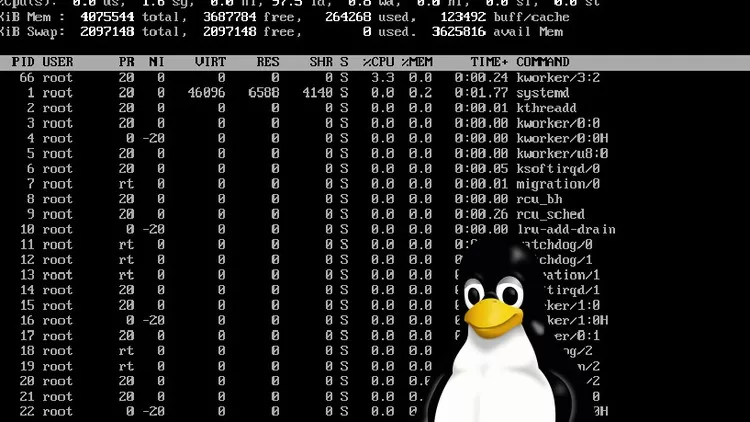


Linux System Administration Made Easy
$5.00
Description
Published 3/2024
Created by Julien Ezra Radoff
MP4 | Video: h264, 1280×720 | Audio: AAC, 44.1 KHz, 2 Ch
Genre: eLearning | Language: English | Duration: 6 Lectures ( 1h 12m ) | Size: 689 MB
Learn Practical Linux Administration Quickly.
What you’ll learn:
You will learn to control Linux Servers
You will master Linux commands
You will learn what System Administrators do in various environments
You will learn how to approach problems in Linux System administration
You will learn best practices and routines Administrators do
Requirements:
No Linux experience is needed.
Basic ability to install some basic Windows applications, for purposes of setup, or find resources on the Web.
Ability to understand basic concepts of computing.
No programming experience needed.
A decent computer with several CPU cores and a fair amount of memory
Description:
This is a practical course dedicated to real-world scenarios which will get you into Linux quickly, and not just fill your head with commands. Linux was not designed to be complicated or difficult or cryptic! If you know the context of why the commands are named the way they are, you will remember them easily!Do you ever wonder how people on television memorizing PI to 100 decimal places or the random order of an entire deck of playing cards? They use a technique which creates a narrative. Linux seems unfriendly and cryptic, but the system was never meant to be that way. In fact, the commands were supposed to be easy to remember but we have forgotten what the original clues were! I teach with this in mind and use memorization techniques based on narrative neural networks which are the strongest methods of memorization humans have. In this course for beginners who want to be users or administrators of Linux, I will show you how to do Linux basics which include basic navigation, diagnostics, and viewing the environment.For example, there is a command called NICE. Nice prioritizes processes or application on a computer to perform better or get preferential treatment. Most people use this command incorrectly. They tell the application to perform using NICE and it gets slower and more erratic. But they don’t know the REASON.The reason is because nice was named after the saying “NICE GUYS FINISH LAST”. When you nice a program, you are telling the program to be “nice” and let the other guys go ahead. In other words, nice +20 is “nicer”, which means SLOWER. Now that you know the story, you will never forget the way to use the command nice!Every command has a history and context!
Who this course is for:
This course is for people who have a little bit of courage to explore Linux
People interested in using Linux professionally or even hobbyists
People who already have some computer skills and and comfortable in Windows
I will throw a lot of information at you! You will not need to learn it all to succeed! Do not be frightened.
Homepage
https://anonymz.com/?https://www.udemy.com/course/linux-system-administration-made-easy/
Shipping & Delivery
DIGITAL DELIVERY ONLY
This is digital product THE DOWNLOAD LINK SEND 12-24 HOURS AFTER UPON PURSUASE AND PAYMENT CLEARS"
- The digital files are uploaded on PCLOUD
- 12-24 hours delivery time
- the download links expire after 7 days and need to download them
- to renew the download link after expiration have one additional fee $5 per product
REQUESTS
Also we accept requests and course exchanges
In Course exchanges we are sending credits only
The credits will be the same price as we can sell course
"REFUNDS & RETURNS"
No Refunds on digital product
ONLY EXCHANGE
- Because of the abuse of the refunds from many customers i don't accept refunds
- We accept only 1 time exchange with product of the same price
- if you done mistake on the exchangeable product i don't recognize it as your mistake
- Exchanges only 3 days after the payment of your digital product. (if abused again i will do it 1 day)


