- Business
- Esoteric
- Fitness & Gym
- Health
- Hypnosis
- Management
- Marketing & Selling
- Massage – SPA
- Parenting
- PUA Seduction
- Science
- Self Improvement
- Art
- Investing
- Painting & Sculpting
- Tai Chi & Martial Arts
- Qigong
- Taoism
- Design & Graphics
- Medicine
- Exams
- Spirituality & Religion
- Hobbies & Fixing & Woodworking
- Photography & Film Making
- Networking & Lan
- Forex & Trading
- IQ & Memory
- Vision & Eye Care
- Swimming & Scuba diving & Water Sports
- Security & Hacking
- Travel
- Cooking
- Driving & Flighting
- Languages
- Computers & Programming
- Building & Home Improvement
- Music
- Astronomy
- History
- Mathematics
- Philosophy
- Literature & Writing
- Economics & Finance
- Sewing
- Hunting
- Electronics
- Psychology & Psychiatry
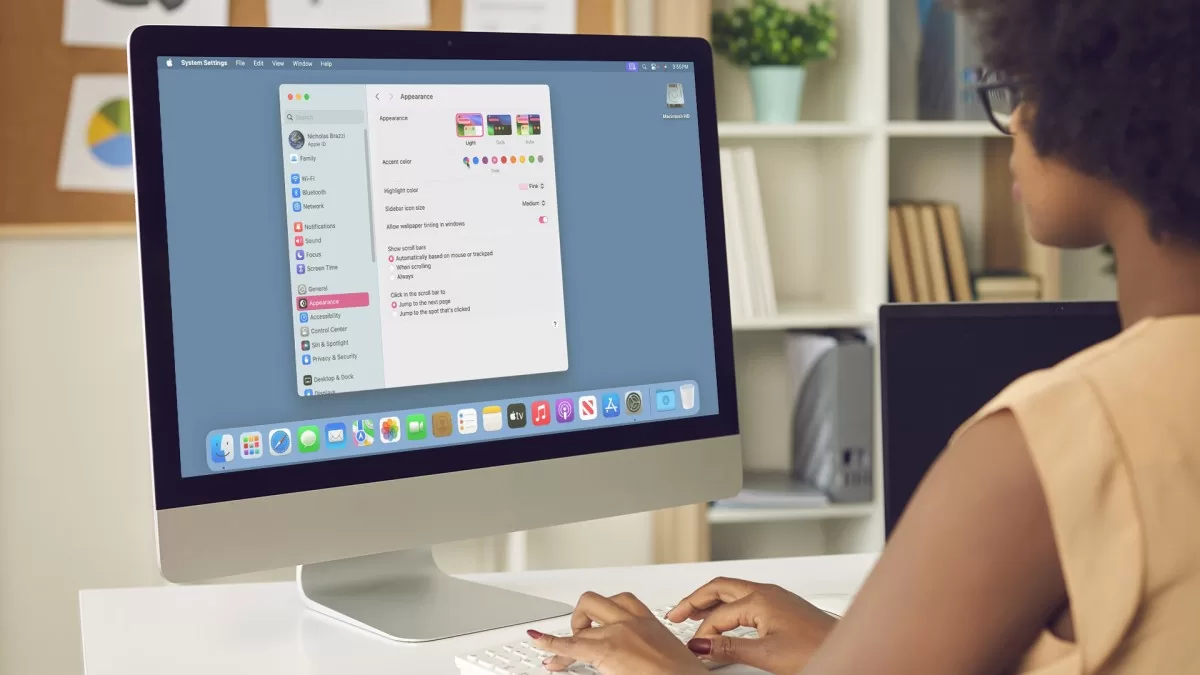

macOS Sonoma Essential Training
$5.00
Description
Released 9/2023
MP4 | Video: h264, 1280×720 | Audio: AAC, 44.1 KHz, 2 Ch
Skill Level: Beginner + Intermediate | Genre: eLearning | Language: English + srt | Duration: 4h 56m | Size: 828 MB
In this course, Nick Brazzi shows Apple fans everything they need to know about macOS Sonoma and offers in-depth guidance on all aspects of working with macOS devices. Learn about the new features in macOS Sonoma and how to upgrade, then get started setting up a new Mac, navigating the user interface, making adjustments in System Settings, connecting accessories, and more. Explore all the ways you can use the Finder and the desktop. Go over how to launch and use applications, as well as how to work with Mail, Calendar, Contacts, and more. Find out how to work with other bundled applications, install and manage various applications, and manage your notifications and widgets. Dive into ways you can use Voice Control and Siri for voice commands, as well as how to share files and data between devices. Plus, make sure you understand how to back up your files, set up Time Machine for automatic backups, and recover lost files.
Homepage
https://anonymz.com/?https://www.linkedin.com/learning/macos-sonoma-essential-training
Reviews (0)
Only logged in customers who have purchased this product may leave a review.
Shipping & Delivery
DIGITAL DELIVERY ONLY
This is digital product THE DOWNLOAD LINK SEND 12-24 HOURS AFTER UPON PURSUASE AND PAYMENT CLEARS"
- The digital files are uploaded on PCLOUD
- 12-24 hours delivery time
- the download links expire after 7 days and need to download them
- to renew the download link after expiration have one additional fee $5 per product
REQUESTS
Also we accept requests and course exchanges
In Course exchanges we are sending credits only
The credits will be the same price as we can sell course
"REFUNDS & RETURNS"
No Refunds on digital product
ONLY EXCHANGE
- Because of the abuse of the refunds from many customers i don't accept refunds
- We accept only 1 time exchange with product of the same price
- if you done mistake on the exchangeable product i don't recognize it as your mistake
- Exchanges only 3 days after the payment of your digital product. (if abused again i will do it 1 day)


Reviews
There are no reviews yet.