- Business
- Esoteric
- Fitness & Gym
- Health
- Hypnosis
- Management
- Marketing & Selling
- Massage – SPA
- Parenting
- PUA Seduction
- Science
- Self Improvement
- Art
- Investing
- Painting & Sculpting
- Tai Chi & Martial Arts
- Qigong
- Taoism
- Design & Graphics
- Medicine
- Exams
- Spirituality & Religion
- Hobbies & Fixing & Woodworking
- Photography & Film Making
- Networking & Lan
- Forex & Trading
- IQ & Memory
- Vision & Eye Care
- Swimming & Scuba diving & Water Sports
- Security & Hacking
- Travel
- Cooking
- Driving & Flighting
- Languages
- Computers & Programming
- Building & Home Improvement
- Music
- Astronomy
- History
- Mathematics
- Philosophy
- Literature & Writing
- Economics & Finance
- Sewing
- Hunting
- Electronics
- Psychology & Psychiatry

Microsoft Windows 10 Operating Systems (Win10 OS) Basics
$5.00
Description
MP4 | Video: h264, 1280×720 | Audio: AAC, 44.1 KHz, 2 Ch
Genre: eLearning | Language: English | Duration: 19 lectures (2h 4m) | Size: 1.34 GB
Genre: eLearning | Language: English | Duration: 19 lectures (2h 4m) | Size: 1.34 GB
A practical or hands-on approach on how you can navigate the Windows environment and manage your files and folder
What you’ll learn:
You will be able to understand the Windows Desktop Environment
You will be able to create and work with Programs and Documents
You will be able to work with Windows Taskbar and Personalize your Desktop
You will be able to create, work with and manage Files and Folders
You will be able to work with Windows Settings and Control Panel
You will become familiar with working with Windows Options and Tools + Computer Security
Requirements
No prior knowledge of Windows operating system is required
Ensure you have a laptop or desktop computer
Ensure Windows 10 operating system or higher is installed
Description
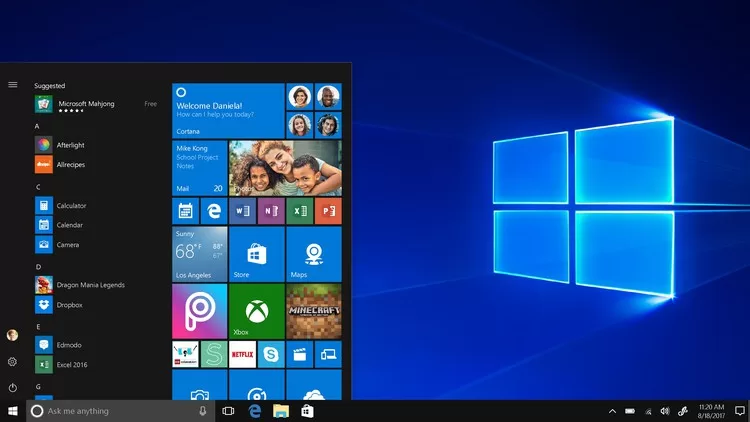
The Microsoft Windows Operating System Basic course introduces you to a practical application or use of the Microsoft Windows 10 (Win10) operating system.
The Windows 10 is an operating system type of software that runs at the backend of every Microsoft-based computers which presents users with a user-interface to run other applications such as Ms-Word, Excel, PowerPoint etc.
Course Objectives
In this course, we will utilize a practical or hands-on approach to show how you can get familiar with the features and functionalities of the Windows 10 operating systems and how to navigate your way around it to help you manage your files and other hardware and your computer in general.
Pre-Requirements and Target Audience
The course is designed for both beginners who do not have any prior background in Ms Windows 10, and for intermediate level people who also wish to extend their practical/hand-on skills and knowledge.
To achieve or fully take advantage of this course, it is important you have a laptop or desktop computer with the Microsoft Windows 10 installed, and also with Office365 or any Ms-Office installed.
Job Opportunities – The course also enables you to find jobs in the following areas
Secretarial job in any organization utilizing knowledge of Windows 10 for managing other files for your organization
Freelancer – Help manage and shows other people around their windows environment and manage their files and computer and get paid based on hours spent
Marketing jobs requiring Windows 10 to work with other applications
Education as a trainer/instructor in a primary school, secondary/high school, private firms etc.
Start your own Computer Business and Computer Training for Microsoft Windows operating system with little income/investment.
Course Modules / Structure
The Course is divided into 5 Modules:
Module 1: Introduction to Windows 10, Programs and Documents
Module 2: The Windows Taskbar and Personalizing Your Desktop
Module 3: Managing Files and Folders
Module 4: Windows Settings and Control Panel
Module 5: Windows Options and Tools + Computer Security
Finding the Course (Modules) Contents
For each module, a number of videos are made available. These guide you step-by-step through the course. If you have issues with the course materials, please send us a feedback.
Who this course is for
For Beginners who have no prior knowledge of Windows operating system
For Intermediates who know some basics and wish to extend their knowledge practically
HOMEPAGE
https://anonymz.com/?https://www.udemy.com/course/microsoft-windows-10-operating-systems-win10-os-basics/
Reviews (0)
Only logged in customers who have purchased this product may leave a review.
Shipping & Delivery
DIGITAL DELIVERY ONLY
This is digital product THE DOWNLOAD LINK SEND 12-24 HOURS AFTER UPON PURSUASE AND PAYMENT CLEARS"
- The digital files are uploaded on PCLOUD
- 12-24 hours delivery time
- the download links expire after 7 days and need to download them
- to renew the download link after expiration have one additional fee $5 per product
REQUESTS
Also we accept requests and course exchanges
In Course exchanges we are sending credits only
The credits will be the same price as we can sell course
"REFUNDS & RETURNS"
No Refunds on digital product
ONLY EXCHANGE
- Because of the abuse of the refunds from many customers i don't accept refunds
- We accept only 1 time exchange with product of the same price
- if you done mistake on the exchangeable product i don't recognize it as your mistake
- Exchanges only 3 days after the payment of your digital product. (if abused again i will do it 1 day)


Reviews
There are no reviews yet.