- Business
- Esoteric
- Fitness & Gym
- Health
- Hypnosis
- Management
- Marketing & Selling
- Massage – SPA
- Parenting
- PUA Seduction
- Science
- Self Improvement
- Art
- Investing
- Painting & Sculpting
- Tai Chi & Martial Arts
- Qigong
- Taoism
- Design & Graphics
- Medicine
- Exams
- Spirituality & Religion
- Hobbies & Fixing & Woodworking
- Photography & Film Making
- Networking & Lan
- Forex & Trading
- IQ & Memory
- Vision & Eye Care
- Swimming & Scuba diving & Water Sports
- Security & Hacking
- Travel
- Cooking
- Driving & Flighting
- Languages
- Computers & Programming
- Building & Home Improvement
- Music
- Astronomy
- History
- Mathematics
- Philosophy
- Literature & Writing
- Economics & Finance
- Sewing
- Hunting
- Electronics
- Psychology & Psychiatry
-75%
Microsoft Power BI: Complete Data Analytics & BI Bootcamp
Original price was: $20.00.$5.00Current price is: $5.00.

Mobile Prospecting Fundamentals
Original price was: $20.00.$5.00Current price is: $5.00.
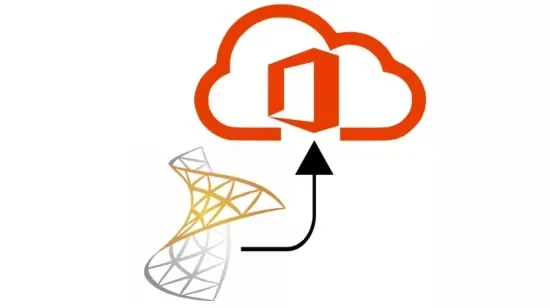
Migrating from Microsoft Exchange to O365
Original price was: $20.00.$5.00Current price is: $5.00.
Description
Last updated 11/2017
MP4 | Video: h264, 1920×1080 | Audio: AAC, 44.1 KHz, 2 Ch
Language: English | Duration: 3h 44m | Size: 991 MB
How to Make the Move from Exchange 2010 to Office 365
What you’ll learn
Plan and perform a cut-over migration of maiboxes from an on-premises Exchange 2010 server to O365/Exchange Online
Plan and perform a cut-over migration of public folders from an on-premises Exchange 2010 server to O365/Exchange Online
Install and configure Azure AD Connect
Requirements
Basic understanding of Exchange Server
Basic understanding of PowerShell commands
Description
Using third-party tools to perform Exchange-to-O365 migrations can be extremely costly, especially for small businesses with very little IT budget. Using the FREE native tools that Microsoft provides vastly reduces hard costs, but using them can be confusing. As such, I’ve authored this outstanding course on migrating email from on-premises Exchange to Office 365 using Microsoft’s native tools.
In this course, the student will learn how to prepare for (and perform) a cut-over migration from an on-premises Microsoft Exchange 2010 server to Office 365 / Exchange Online.
Topics covered include
Setup of the O365 Tenant AccountVerifying Domain OwnershipPreparing Active Directory for the MigrationPreparing the On-Premises Exchange Org for MigrationConnecting O365 to Your Exchange Email SystemMigrating Mailboxes to O365Performing the Cutover to O365Re-Routing Email to Office 365Assigning Licenses to O365 UsersPost-Migration Tasks & CleanupMigrating Public Folders to O365Configuring Azure AD Connect to Sync AD to O365Decommissioning the On-Premises Exchange Server
Upon completion of this course, the student will be able to successfully plan, prepare for, and perform a cut-over migration from Exchange 2010 to Office 365 using the native tools that Microsoft provides.
Who this course is for
This course is perfect for IT staff of small companies who are tasked with migrating fewer than 500 Exchange mailboxes to Office 365.
Homepage
https://www.udemy.com/course/migrating-from-microsoft-exchange-to-o365/
Shipping & Delivery
DIGITAL DELIVERY ONLY
This is digital product THE DOWNLOAD LINK SEND 12-24 HOURS AFTER UPON PURSUASE AND PAYMENT CLEARS"
- The digital files are uploaded on PCLOUD
- 12-24 hours delivery time
- the download links expire after 7 days and need to download them
- to renew the download link after expiration have one additional fee $5 per product
REQUESTS
Also we accept requests and course exchanges
In Course exchanges we are sending credits only
The credits will be the same price as we can sell course
"REFUNDS & RETURNS"
No Refunds on digital product
ONLY EXCHANGE
- Because of the abuse of the refunds from many customers i don't accept refunds
- We accept only 1 time exchange with product of the same price
- if you done mistake on the exchangeable product i don't recognize it as your mistake
- Exchanges only 3 days after the payment of your digital product. (if abused again i will do it 1 day)


