- Business
- Esoteric
- Fitness & Gym
- Health
- Hypnosis
- Management
- Marketing & Selling
- Massage – SPA
- Parenting
- PUA Seduction
- Science
- Self Improvement
- Art
- Investing
- Painting & Sculpting
- Tai Chi & Martial Arts
- Qigong
- Taoism
- Design & Graphics
- Medicine
- Exams
- Spirituality & Religion
- Hobbies & Fixing & Woodworking
- Photography & Film Making
- Networking & Lan
- Forex & Trading
- IQ & Memory
- Vision & Eye Care
- Swimming & Scuba diving & Water Sports
- Security & Hacking
- Travel
- Cooking
- Driving & Flighting
- Languages
- Computers & Programming
- Building & Home Improvement
- Music
- Astronomy
- History
- Mathematics
- Philosophy
- Literature & Writing
- Economics & Finance
- Sewing
- Hunting
- Electronics
- Psychology & Psychiatry
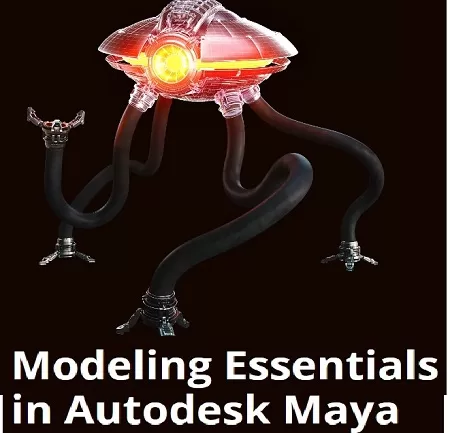

Motion Design School – Maya Modeling Essentials
$10.00
Description
Motion Design School – Maya Modeling Essentials | 8.64 GB
A structured online course on basic Maya modeling tools and Substance Painter texturing workflow from CG industry veterans. Start your 3D artist’s career NOW!
Modeling is an essential part of the 3D industry. You can not imagine any animated movie or video game without 3D models. Characters, props, environment, almost every idea needs to be represented as a 3D model either fully or partially. 3D is a versatile tool that will come in handy for any contemporary artist. But where to start? It`s much better to begin your 3D artist’s journey from tweaking some polygons and getting knowledge about 3D in a nutshell. In this course you will start from creating a simple model of a longboard in Maya and then learn how to texture it in Substance Painter right away. After that, we’ll show you the ropes on a simple example. There is a real challenge for you: you will need to create full a 3D hard surface character from our animated movie that we’ve made for this course!
Course Curriculum
The course is designed to effectively introduce you to the basic stages of working with 3D modelling, even if you have never done this before.
Section #1 – Intro
Interface navigation and standard Maya tools.
Section #2 – Modeling Basics
– Maya basic modeling tools.
– Learning the polygonal modeling process on the examples of simple objects.
Section #3 – Hardsurface Modeling
Creating a longboard model. Mastering creating the correct topology.
– creating a basic object form;
– objects grouping;
– adding details to a grid for smoothing;
– creating the final geometry.
Section #4 – UV Unwrap
Creating a UV map of a model in Maya. Preparing a model for texturing.
Section #5 – Texturing
Creating textures. Basic rendering in Substance Painter.
Section #6 – Introduction to advanced modeling
– creating the base concept, development of the idea;
– pre-modeling preparation;
– preparation of references;
– working out the masses and proportions.
Section #7 – Increasing the geometry detailing
– work with deformers;
– Boolean operations. Pros and cons;
– work with KitBash;
– creating a simple animation for checking the model functionality.
Section #8 – Mesh modeling using clones
– What mesh is and how to use it for modeling covered on the example of the robot’s spine and eyes.
– Finishing up the scene.
Section #9 – Preparing UV for the final model
– Subdivision of geometry into logical groups;
– Creating UVs;
– UV packing using UDIM.
Section #10 – Introduction to Substance Painter
– Key aspects of texturing for PBR shading;
– Textures baking;
– Texturing methods of complex objects.
Section #11 – Preparing the scene for presentation
– camera and animation;
– creating an expressive pose;
– final shaders setup;
– color and light as a composition method;
– introduction to Arnold renderer.
Reviews (0)
Only logged in customers who have purchased this product may leave a review.
Shipping & Delivery
DIGITAL DELIVERY ONLY
This is digital product THE DOWNLOAD LINK SEND 12-24 HOURS AFTER UPON PURSUASE AND PAYMENT CLEARS"
- The digital files are uploaded on PCLOUD
- 12-24 hours delivery time
- the download links expire after 7 days and need to download them
- to renew the download link after expiration have one additional fee $5 per product
REQUESTS
Also we accept requests and course exchanges
In Course exchanges we are sending credits only
The credits will be the same price as we can sell course
"REFUNDS & RETURNS"
No Refunds on digital product
ONLY EXCHANGE
- Because of the abuse of the refunds from many customers i don't accept refunds
- We accept only 1 time exchange with product of the same price
- if you done mistake on the exchangeable product i don't recognize it as your mistake
- Exchanges only 3 days after the payment of your digital product. (if abused again i will do it 1 day)


Reviews
There are no reviews yet.