- Business
- Esoteric
- Fitness & Gym
- Health
- Hypnosis
- Management
- Marketing & Selling
- Massage – SPA
- Parenting
- PUA Seduction
- Science
- Self Improvement
- Art
- Investing
- Painting & Sculpting
- Tai Chi & Martial Arts
- Qigong
- Taoism
- Design & Graphics
- Medicine
- Exams
- Spirituality & Religion
- Hobbies & Fixing & Woodworking
- Photography & Film Making
- Networking & Lan
- Forex & Trading
- IQ & Memory
- Vision & Eye Care
- Swimming & Scuba diving & Water Sports
- Security & Hacking
- Travel
- Cooking
- Driving & Flighting
- Languages
- Computers & Programming
- Building & Home Improvement
- Music
- Astronomy
- History
- Mathematics
- Philosophy
- Literature & Writing
- Economics & Finance
- Sewing
- Hunting
- Electronics
- Psychology & Psychiatry
-75%

Omnichannel Marketing on a Budget
Original price was: $20.00.$5.00Current price is: $5.00.

Overview - Medical Devices - QMS (ISO 13485:2016)
Original price was: $20.00.$5.00Current price is: $5.00.
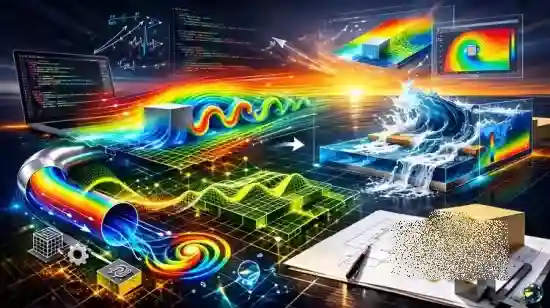
OpenFOAM for Beginners: From Installation to Real Simulation
Original price was: $20.00.$5.00Current price is: $5.00.
Description
Published 2/2026
Created by Sahar Rouzbahani
MP4 | Video: h264, 1920×1080 | Audio: AAC, 44.1 KHz, 2 Ch
Level: Beginner | Genre: eLearning | Language: English | Duration: 60 Lectures ( 5h 45m ) | Size: 6.51 GB
Hands-on CFD training: install OpenFOAM, master setup, meshing, icoFoam/pisoFoam/interFoam, turbulence, and ParaView
What you’ll learn
✓ Navigate the OpenFOAM case structure (system/constant/0) and understand what each folder controls.
✓ Create and verify meshes with blockMesh and check mesh quality before solving.
✓ Set up boundary conditions and transport properties for incompressible CFD cases.
✓ Configure a simulation using controlDict, fvSchemes, and fvSolution (time stepping, discretization, solvers).
✓ Run OpenFOAM solvers from the terminal and save outputs to log files for troubleshooting.
✓ Post-process results in ParaView using paraFoam, including visualizing velocity/pressure fields and boundary patches.
✓ Modify and rerun tutorial cases confidently, changing run time, time step, and output controls.
✓ Diagnose common beginner errors (bad mesh, missing BCs, diverging run) using logs and standard checks.
✓ Build a repeatable CFD workflow: mesh → set properties/BCs → solve → visualize → iterate.
✓ Generate and validate meshes with blockMesh and mesh checks
Requirements
● No prior CFD experience required. The course starts from the basics and builds up step by step.
● No programming or coding background required. We only use simple terminal commands and edit text files (I show you exactly what to change).
● A computer capable of running OpenFOAM (Windows with WSL2, Linux, or macOS via a supported setup). A typical modern laptop/desktop is enough for the beginner tutorial cases.
● OpenFOAM installed (or willingness to install it). I guide you through the setup and how to verify the installation.
● ParaView installed (or access through paraFoam) for visualization and post-processing.
● Basic computer skills: creating folders, copying files, and using a text editor.
● Recommended (not required): comfort with basic command-line navigation (cd, ls). I also cover these basics quickly inside the course.
● If you’ve never used Linux/terminal before, you’re still fine—we go slowly and you can follow along exactly.
Description
This course contains the use of artificial intelligence.
AI Disclosure
Some audio narration in this course is generated using artificial intelligence (text-to-speech technology) to ensure clear, consistent, and high-quality delivery of the content.
Have you wanted to learn OpenFOAM but didn’t know where to start?
This course is a step-by-step OpenFOAM beginner training designed to take you from installation to running your first real CFD simulations with confidence — even if you’ve never used OpenFOAM before.
We start slowly and clearly, so you understand the OpenFOAM workflow without feeling overwhelmed. Then we move into real projects where you learn by doing: create the mesh, set boundary conditions, run the solver, and visualize the results in ParaView.
What you’ll do in this course
You will build several complete simulations from scratch, including
• Lid-Driven Cavity — your first full OpenFOAM workflow (mesh → setup → run → post-process)
• Internal flow in an elbow — including converting a Fluent mesh to OpenFOAM
• Flow around a square cylinder — learn blockMesh, grading (non-uniform mesh), and Reynolds-number-based setup
• Turbulence modeling around the square cylinder — practical setup of turbulence files and running a turbulent solver
• Salome meshing for OpenFOAM — geometry → meshing → converting the mesh into OpenFOAM
• Multiphase simulation (Dam Break) using interFoam — including setFields and volume fraction (alpha)
Skills you’ll learn (from zero to practical)
By the end of the course, you will be able to
• Understand the OpenFOAM case structure (0 / constant / system)
• Create meshes (uniform and non-uniform graded meshes)
• Set correct boundary and initial conditions
• Configure the main dictionaries (controlDict, fvSchemes, fvSolution)
• Run simulations and understand solver logs (so you can fix common mistakes)
• Post-process results in ParaView/paraFoam (fields, streamlines, plots)
• Run cases in parallel (decomposePar) for faster simulation
Who this course is for
■ Engineering students (mechanical, aerospace, automotive, civil) who want real CFD skills they can use in projects and theses
■ Job seekers / early-career engineers who want to add OpenFOAM + ParaView to their CV and feel confident running cases independently
■ Working engineers who want a structured, hands-on introduction to OpenFOAM as a free, powerful CFD tool
■ Researchers and hobbyists who want to run and understand CFD simulations using open-source software
■ Anyone who has used commercial CFD tools (like ANSYS/STAR-CCM+) and wants to learn the OpenFOAM workflow: mesh → setup → solve → post-process
Homepage
https://anonymz.com/?https://www.udemy.com/course/openfoam-for-beginners-from-installation-to-real-simulation
Shipping & Delivery
DIGITAL DELIVERY ONLY
This is digital product THE DOWNLOAD LINK SEND 12-24 HOURS AFTER UPON PURSUASE AND PAYMENT CLEARS"
- The digital files are uploaded on PCLOUD
- 12-24 hours delivery time
- the download links expire after 7 days and need to download them
- to renew the download link after expiration have one additional fee $5 per product
REQUESTS
Also we accept requests and course exchanges
In Course exchanges we are sending credits only
The credits will be the same price as we can sell course
"REFUNDS & RETURNS"
No Refunds on digital product
ONLY EXCHANGE
- Because of the abuse of the refunds from many customers i don't accept refunds
- We accept only 1 time exchange with product of the same price
- if you done mistake on the exchangeable product i don't recognize it as your mistake
- Exchanges only 3 days after the payment of your digital product. (if abused again i will do it 1 day)


