- Business
- Esoteric
- Fitness & Gym
- Health
- Hypnosis
- Management
- Marketing & Selling
- Massage – SPA
- Parenting
- PUA Seduction
- Science
- Self Improvement
- Art
- Investing
- Painting & Sculpting
- Tai Chi & Martial Arts
- Qigong
- Taoism
- Design & Graphics
- Medicine
- Exams
- Spirituality & Religion
- Hobbies & Fixing & Woodworking
- Photography & Film Making
- Networking & Lan
- Forex & Trading
- IQ & Memory
- Vision & Eye Care
- Swimming & Scuba diving & Water Sports
- Security & Hacking
- Travel
- Cooking
- Driving & Flighting
- Languages
- Computers & Programming
- Building & Home Improvement
- Music
- Astronomy
- History
- Mathematics
- Philosophy
- Literature & Writing
- Economics & Finance
- Sewing
- Hunting
- Electronics
- Psychology & Psychiatry
-75%

PMP Certification 2026: 8th Edition Project Management Guide
Original price was: $20.00.$5.00Current price is: $5.00.

Professional Lip Contouring for Doctors & Cosmetologists
Original price was: $20.00.$5.00Current price is: $5.00.
PowerShell for SQL Server DBA: Automation, Installation & Ma
Original price was: $20.00.$5.00Current price is: $5.00.
Description
Published 1/2026
Created by Syed Muhammad Hatim Javaid
MP4 | Video: h264, 1920×1080 | Audio: AAC, 44.1 KHz, 2 Ch
Level: All | Genre: eLearning | Language: English | Duration: 102 Lectures ( 9h 45m ) | Size: 8.79 GB
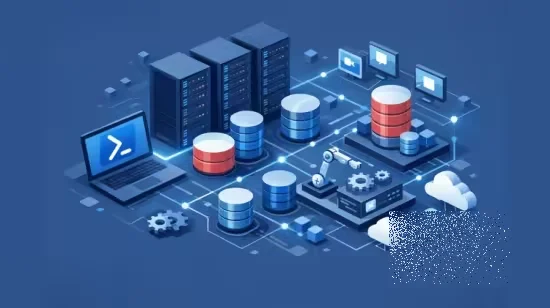
Automate SQL Server Installation, Monitoring, Maintenance & Migration using PowerShell, dbatools, and Grafana
What you’ll learn
Build a complete multi-server lab using VMware, Windows Server, and Active Directory.
Automate SQL Server installation, configuration, patching, and removal using PowerShell, dbatools, and DSC.
Manage databases, backups, restores, security, logins, roles, and server administration through PowerShell automation.
Monitor SQL Server performance using Grafana, capturing CPU, memory, IO latency, backups, error logs, and agent jobs.
Create automated reports, alerts, and perform database migrations using PowerShell and dbatools.
Requirements
Basic understanding of SQL Server concepts is helpful but not mandatory
No prior PowerShell automation experience is required
Willingness to learn SQL Server administration and automation
A computer or laptop capable of running virtual machines (VMware)
Basic knowledge of Windows operating systems is recommended
Description
This comprehensive course is designed to help you become a modern SQL Server DBA by mastering PowerShell automation, dbatools, SQL Server installation, maintenance, monitoring, reporting, and migration in real-world environments.You will start by building a complete virtual lab using VMware, setting up multiple SQL Servers, a central monitoring server, and an Active Directory domain. From there, the course gradually introduces PowerShell fundamentals, modules, and advanced automation techniques used by professional DBAs.A major focus of this course is SQL Server automation using dbatools and PowerShell DSC. You will learn how to install, configure, patch, uninstall, and manage SQL Server completely through scripts—eliminating repetitive manual work.The course also covers database maintenance tasks such as database creation, configuration, ownership changes, recovery models, file growth, backups, restores, security management, logins, roles, and server administration across multiple SQL instances.In advanced sections, you will implement SQL Server monitoring using Grafana, capturing real performance metrics like CPU, memory, IO latency, backups, error logs, SQL Agent jobs, and instance details, all visualized through professional dashboards.You will also learn automated reporting and alerting using PowerShell, including HTML reports, email notifications, backup missing reports, replication alerts, database health checks, and DBCC reports.Finally, the course covers database migration using dbatools, helping you move databases safely and efficiently between SQL Server environments.By the end of this course, you will have the skills to automate SQL Server administration, manage multiple servers confidently, and work like a real-world SQL Server DBA using PowerShell.
Who this course is for
SQL Server DBAs who want to automate daily administrative and maintenance tasks
System and Windows Server administrators managing SQL Server environments
IT professionals looking to learn PowerShell automation for SQL Server and servers
Developers or support engineers who work with SQL Server and want better administration skills
Beginners aiming to become professional SQL Server DBAs or automation engineers
Homepage
https://anonymz.com/?https://www.udemy.com/course/powershell-for-sql-server-dba-automation-installation/
Shipping & Delivery
DIGITAL DELIVERY ONLY
This is digital product THE DOWNLOAD LINK SEND 12-24 HOURS AFTER UPON PURSUASE AND PAYMENT CLEARS"
- The digital files are uploaded on PCLOUD
- 12-24 hours delivery time
- the download links expire after 7 days and need to download them
- to renew the download link after expiration have one additional fee $5 per product
REQUESTS
Also we accept requests and course exchanges
In Course exchanges we are sending credits only
The credits will be the same price as we can sell course
"REFUNDS & RETURNS"
No Refunds on digital product
ONLY EXCHANGE
- Because of the abuse of the refunds from many customers i don't accept refunds
- We accept only 1 time exchange with product of the same price
- if you done mistake on the exchangeable product i don't recognize it as your mistake
- Exchanges only 3 days after the payment of your digital product. (if abused again i will do it 1 day)