- Business
- Esoteric
- Fitness & Gym
- Health
- Hypnosis
- Management
- Marketing & Selling
- Massage – SPA
- Parenting
- PUA Seduction
- Science
- Self Improvement
- Art
- Investing
- Painting & Sculpting
- Tai Chi & Martial Arts
- Qigong
- Taoism
- Design & Graphics
- Medicine
- Exams
- Spirituality & Religion
- Hobbies & Fixing & Woodworking
- Photography & Film Making
- Networking & Lan
- Forex & Trading
- IQ & Memory
- Vision & Eye Care
- Swimming & Scuba diving & Water Sports
- Security & Hacking
- Travel
- Cooking
- Driving & Flighting
- Languages
- Computers & Programming
- Building & Home Improvement
- Music
- Astronomy
- History
- Mathematics
- Philosophy
- Literature & Writing
- Economics & Finance
- Sewing
- Hunting
- Electronics
- Psychology & Psychiatry
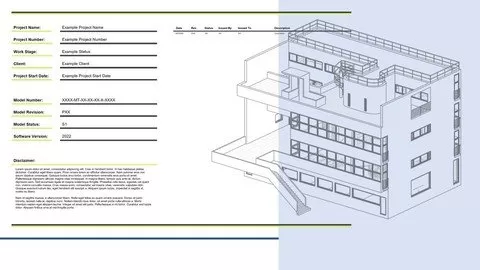

Revit Templates – A Masterclass
$5.00
Description
MP4 | Video: h264, 1280×720 | Audio: AAC, 44.1 KHz
Language: English | Size: 2.47 GB | Duration: 5h 5m
Language: English | Size: 2.47 GB | Duration: 5h 5m
What you’ll learn
How to create an Autodesk Revit template from scatch.
Learn the important steps that need to be taken to create a fully functioning template.
Customise your template to your represent your own branding and identity.
Requirements
Computer with Autodesk Revit / Revit LT (including trial version) installed (2018/2019/2020/2021/2022).
Knowledge of basic Revit functionality, including views, schedules, families and project settings.
Description
Revit templates are essential for operating a lean and efficient software strategy across your practice. Whether you are part of a larger organisation or an individual, Revit templates form the foundation for good practice and standardised output across your business. Hours (and therefore costs) can be saved by loading up templates with content and settings to ensure design teams focus on just that….designing.
In this course we’ll look at how to create a Revit project template from scratch, how to manipulate graphical & data settings and how to customise the outputs to ensure alignment to your company standards.
This course is essential for those looking to take the next step into a more managerial role within their firm.
This course is independent of Autodesk, Inc., and is not authorized by, endorsed by, sponsored by, affiliated with, or otherwise approved by Autodesk, Inc.
Autodesk, the Autodesk logo, Autodesk Revit are registered trademarks or trademarks of Autodesk, Inc., and/or its subsidiaries and/or affiliates in the USA and/or other countries. All other brand names, product names, or trademarks belong to their respective holders. Autodesk reserves the right to alter product and services offerings, and specifications and pricing at any time without notice, and is not responsible for typographical or graphical errors that may appear in this document. © 2022 Autodesk, Inc. All rights reserved.
Who this course is for:
Experienced Revit users looking to take a step towards a more managerial role (BIM Manager / BIM Lead).
Sole operators looking to improve efficiencies and add customised features that represent their brand and workflows.
HOMEPAGE
https://anonymz.com/?https://www.udemy.com/course/revit-templates-a-masterclass/
Reviews (0)
Only logged in customers who have purchased this product may leave a review.
Shipping & Delivery
DIGITAL DELIVERY ONLY
This is digital product THE DOWNLOAD LINK SEND 12-24 HOURS AFTER UPON PURSUASE AND PAYMENT CLEARS"
- The digital files are uploaded on PCLOUD
- 12-24 hours delivery time
- the download links expire after 7 days and need to download them
- to renew the download link after expiration have one additional fee $5 per product
REQUESTS
Also we accept requests and course exchanges
In Course exchanges we are sending credits only
The credits will be the same price as we can sell course
"REFUNDS & RETURNS"
No Refunds on digital product
ONLY EXCHANGE
- Because of the abuse of the refunds from many customers i don't accept refunds
- We accept only 1 time exchange with product of the same price
- if you done mistake on the exchangeable product i don't recognize it as your mistake
- Exchanges only 3 days after the payment of your digital product. (if abused again i will do it 1 day)


Reviews
There are no reviews yet.