- Business
- Esoteric
- Fitness & Gym
- Health
- Hypnosis
- Management
- Marketing & Selling
- Massage – SPA
- Parenting
- PUA Seduction
- Science
- Self Improvement
- Art
- Investing
- Painting & Sculpting
- Tai Chi & Martial Arts
- Qigong
- Taoism
- Design & Graphics
- Medicine
- Exams
- Spirituality & Religion
- Hobbies & Fixing & Woodworking
- Photography & Film Making
- Networking & Lan
- Forex & Trading
- IQ & Memory
- Vision & Eye Care
- Swimming & Scuba diving & Water Sports
- Security & Hacking
- Travel
- Cooking
- Driving & Flighting
- Languages
- Computers & Programming
- Building & Home Improvement
- Music
- Astronomy
- History
- Mathematics
- Philosophy
- Literature & Writing
- Economics & Finance
- Sewing
- Hunting
- Electronics
- Psychology & Psychiatry
-75%

Scaling Generative AI for Business Leaders
Original price was: $20.00.$5.00Current price is: $5.00.
![Selenium WebDriver 4 With Python - Novice To Ninja [2024]](https://flarecourses.com/wp-content/uploads/2026/03/Selenium-WebDriver-4-With-Python-Novice-To-Ninja-2024-150x150.webp)
Selenium WebDriver 4 With Python - Novice To Ninja [2024]
Original price was: $20.00.$5.00Current price is: $5.00.
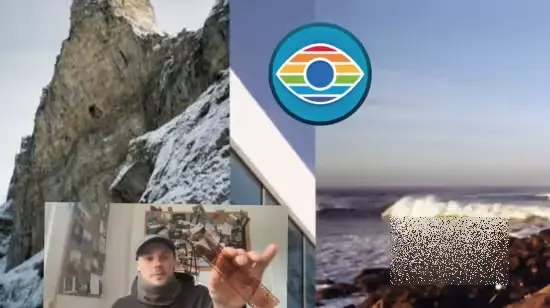
Scan Film Like a Pro with SilverFast Step-by-Step Workflow
Original price was: $20.00.$5.00Current price is: $5.00.
Description
Published 3/2026
Created by Alex Drive
MP4 | Video: h264, 1920×1080 | Audio: AAC, 44.1 KHz, 2 Ch
Level: Beginner | Genre: eLearning | Language: English | Duration: 11 Lectures ( 1h 14m ) | Size: 1.07 GB
Scan Dias, Scan 35mm Negatives, SilverFast Software full walkthrough, convert tif to jpg, save time and memory, tips
What you’ll learn
✓ Scanning 35mm negatives and Dia positives with Silverfast in High Quality
✓ Structured Scanning Workflow Roll by Roll from Real life to Digital
✓ Save scanning time and memory while containing the necessary Image resolution for all your needs
✓ Edit your scan to achieve a professional looking photo all within Silverfast
Requirements
● disposable plastic gloves (not necessary)
● Silverfast
● Film Scanner
Description
Scan 35mm Film – SilverFast Workflow for Film Digitization
This course explains a complete workflow for scanning 35mm film using the SilverFast software and a dedicated film scanner. The lessons focus on practical steps that help you understand how to digitize both negative film and positive slide (Dia) film.
You will be guided through the SilverFast interface and the main tools used during the scanning process. The course shows how different settings influence the final scan and how color correction tools can be used to adjust film images.
The workflow also includes working with TIFF files after scanning. You will see how these files can be organized and converted into JPG format using Lightroom or other commonly available software. In addition, the course discusses basic methods for organizing a film archive so that both physical film and digital files remain structured and easy to manage.
This course is designed for people who want to understand the practical process of digitizing 35mm film and maintaining a simple and repeatable workflow.
What you will learn
• The basic workflow for scanning 35mm negative film
• How to scan 35mm slide (Dia) film
• How the SilverFast interface is structured
• Using color correction tools during scanning
• Working with TIFF files created during the scan process
• Converting TIFF files to JPG format
• Basic methods for organizing physical film and digital files
Who this course is for
■ Analog Photographers 35mm Film or Dia
■ Digitalizing old Analog Family Pictures
■ Professional Analog Photographers
■ Film enthusiasts
■ Kamera Art Photography Lomography enthusiasts
Homepage
https://anonymz.com/?https://www.udemy.com/course/scan-film-like-a-pro-with-silverfast-step-by-step-workflow
Shipping & Delivery
DIGITAL DELIVERY ONLY
This is digital product THE DOWNLOAD LINK SEND 12-24 HOURS AFTER UPON PURSUASE AND PAYMENT CLEARS"
- The digital files are uploaded on PCLOUD
- 12-24 hours delivery time
- the download links expire after 7 days and need to download them
- to renew the download link after expiration have one additional fee $5 per product
REQUESTS
Also we accept requests and course exchanges
In Course exchanges we are sending credits only
The credits will be the same price as we can sell course
"REFUNDS & RETURNS"
No Refunds on digital product
ONLY EXCHANGE
- Because of the abuse of the refunds from many customers i don't accept refunds
- We accept only 1 time exchange with product of the same price
- if you done mistake on the exchangeable product i don't recognize it as your mistake
- Exchanges only 3 days after the payment of your digital product. (if abused again i will do it 1 day)


