- Business
- Esoteric
- Fitness & Gym
- Health
- Hypnosis
- Management
- Marketing & Selling
- Massage – SPA
- Parenting
- PUA Seduction
- Science
- Self Improvement
- Art
- Investing
- Painting & Sculpting
- Tai Chi & Martial Arts
- Qigong
- Taoism
- Design & Graphics
- Medicine
- Exams
- Spirituality & Religion
- Hobbies & Fixing & Woodworking
- Photography & Film Making
- Networking & Lan
- Forex & Trading
- IQ & Memory
- Vision & Eye Care
- Swimming & Scuba diving & Water Sports
- Security & Hacking
- Travel
- Cooking
- Driving & Flighting
- Languages
- Computers & Programming
- Building & Home Improvement
- Music
- Astronomy
- History
- Mathematics
- Philosophy
- Literature & Writing
- Economics & Finance
- Sewing
- Hunting
- Electronics
- Psychology & Psychiatry
-75%

Radiation Safety for Healthcare Professionals
Original price was: $20.00.$5.00Current price is: $5.00.
Smart Marketer - Smart Email Marketing 2026
Original price was: $100.00.$20.00Current price is: $20.00.
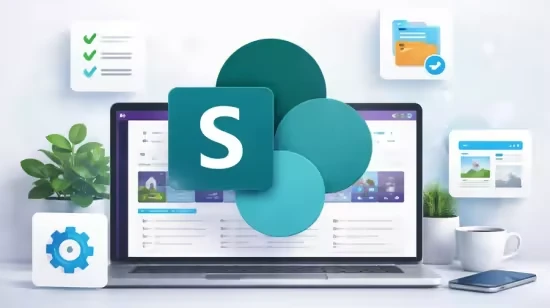
SharePoint Online 2026: Modern Sites & Portals Guide
Original price was: $20.00.$5.00Current price is: $5.00.
Description
Published 3/2026
MP4 | Video: h264, 1280×720 | Audio: AAC, 44.1 KHz, 2 Ch
Language: English | Duration: 2h 15m | Size: 921.76 MB
Master SharePoint Online lists, libraries, pages, permissions, and build modern responsive intranet portals (No Code)
What you’ll learn
Build a complete SharePoint IT Services Portal using out-of-the-box web parts
Create and manage SharePoint lists and document libraries with real examples
Design modern SharePoint pages with clean layout and user-friendly structure
Use metadata, views, and permissions to organize and secure content effectively
Apply SharePoint best practices to build professional and scalable solutions
Understand how to structure and design real-world SharePoint portals step by step
Requirements
No prior SharePoint or programming experience is required
A basic understanding of using a computer and web browser
A Microsoft 365 free trial account (we will create it together in the course)
Willingness to learn and build real SharePoint solutions
Description
Are you looking to learn SharePoint Online from scratch and build real-world solutions without coding?
This course is designed for beginners who want to understand SharePoint and start creating modern, user-friendly portals step by step using the latest 2026 SharePoint experience and UX updates.
We start with the fundamentals, where you will learn what SharePoint is and how it is used in organizations. Then, you will explore key components such as lists and document libraries, and learn how to organize and manage content effectively using metadata, views, and permissions.
As you progress, you will learn how to create modern SharePoint pages, understand page layouts, and use out-of-the-box web parts to design clean, structured, and responsive interfaces.
The highlight of this course is a hands-on project where you will build a complete IT Services Portal. You will apply everything you have learned to create a real SharePoint landing page that includes navigation, announcements, news, events, and interactive components following modern UX best practices.
By the end of this course, you will have the skills to build your own SharePoint sites and intranet portals using real-world techniques and best practices.
Whether you are a business user, IT professional, or completely new to SharePoint, this course will help you gain practical experience and confidence to start building your own solutions.
Enroll now and start building professional SharePoint portals step by step.
• No coding required
• Real hands-on project
• Certificate of completion included
Who this course is for
Beginners who want to learn SharePoint Online from scratch
Business users who want to build SharePoint pages and portals without coding
IT professionals who want to understand SharePoint fundamentals and best practices
Anyone interested in building modern intranet portals using SharePoint
Homepage
https://www.udemy.com/course/sharepoint-online-2026-modern-sites-portals-guide
Shipping & Delivery
DIGITAL DELIVERY ONLY
This is digital product THE DOWNLOAD LINK SEND 12-24 HOURS AFTER UPON PURSUASE AND PAYMENT CLEARS"
- The digital files are uploaded on PCLOUD
- 12-24 hours delivery time
- the download links expire after 7 days and need to download them
- to renew the download link after expiration have one additional fee $5 per product
REQUESTS
Also we accept requests and course exchanges
In Course exchanges we are sending credits only
The credits will be the same price as we can sell course
"REFUNDS & RETURNS"
No Refunds on digital product
ONLY EXCHANGE
- Because of the abuse of the refunds from many customers i don't accept refunds
- We accept only 1 time exchange with product of the same price
- if you done mistake on the exchangeable product i don't recognize it as your mistake
- Exchanges only 3 days after the payment of your digital product. (if abused again i will do it 1 day)


