- Business
- Esoteric
- Fitness & Gym
- Health
- Hypnosis
- Management
- Marketing & Selling
- Massage – SPA
- Parenting
- PUA Seduction
- Science
- Self Improvement
- Art
- Investing
- Painting & Sculpting
- Tai Chi & Martial Arts
- Qigong
- Taoism
- Design & Graphics
- Medicine
- Exams
- Spirituality & Religion
- Hobbies & Fixing & Woodworking
- Photography & Film Making
- Networking & Lan
- Forex & Trading
- IQ & Memory
- Vision & Eye Care
- Swimming & Scuba diving & Water Sports
- Security & Hacking
- Travel
- Cooking
- Driving & Flighting
- Languages
- Computers & Programming
- Building & Home Improvement
- Music
- Astronomy
- History
- Mathematics
- Philosophy
- Literature & Writing
- Economics & Finance
- Sewing
- Hunting
- Electronics
- Psychology & Psychiatry


Super way to Learn Arduino | Creative (Updated 5-2020)
$5.00
Description
Super way to Learn Arduino | Creative
Video: .mp4 (1280×720, 30 fps(r)) | Audio: aac, 44100 Hz, 2ch | Size: 1.31 GB
Genre: eLearning Video | Duration: 35 lectures (2 hour, 26 mins) | Language: EnglishFrom Zero To Hero | Thinking Out Of Box
Video: .mp4 (1280×720, 30 fps(r)) | Audio: aac, 44100 Hz, 2ch | Size: 1.31 GB
Genre: eLearning Video | Duration: 35 lectures (2 hour, 26 mins) | Language: EnglishFrom Zero To Hero | Thinking Out Of Box
What you’ll learn
Program in ArduinoC
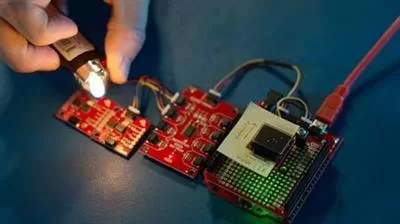
Use Arduino board and sensors
Alot of knowledge and skills about how to search and take the idea to real-life
Requirements
basics of how to use computer and browser
Description
Updated: January 06th, 2019 | Sunday
_______________________________________
About this course: The Arduino is an open-source computer hardware/software platform for building digital devices and interactive objects that can sense and control the physical world around them. In this class, you will learn how the Arduino platform works in terms of the physical board and libraries and the IDE (integrated development environment). You will also learn about shields, which are smaller boards that plug into the main Arduino board to perform other functions such as sensing light, heat, GPS tracking, or providing a user interface display. The course will also cover programming the Arduino using C code and accessing the pins on the board via the software to control external devices.
Upon completing this course, you will be able to:
1. Outline the composition of the Arduino development board
2. Describe what it means to program the board’s firmware
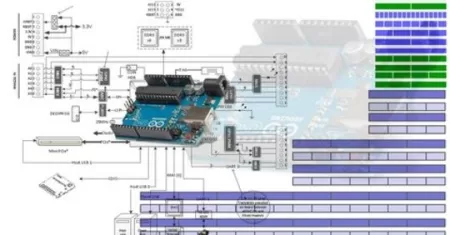
3. Read board schematics
4. Install Arduino IDE
5. Describe what “shields” are and how they are used
6. Specify the role of libraries in the use of shields
7. Compile and run a program
8. Name C Variables and Types
9. Name common C operators
10. Use conditionals and loops
11. Explain functions, their definition, and invocation
12. Explain the implications of global variables
13. Undertake the Arduino build process
14. Describe the role of the tools behind the IDE
15. Describe how to invoke functions in classes
16. Explain the structure of an Arduino sketch
17. Access the pins of the Arduino
18. Differentiate between digital and analog pin
and all of it through a very creative learning way, I am sure that it is going to be a short and sweet learning process for you.
If you would love to start making what you have in your mind of creative ideas, enroll and best of luck.
Best Wishes to all of you: ].
See you in class: ].
Who this course is for:
Anyone interested in Robots
Anyone interested in Programming
Anyone interested in making new things
Anyone want to make a product
Serious coders & hobbyists
Students & teenagers
Reviews (0)
Only logged in customers who have purchased this product may leave a review.
Shipping & Delivery
DIGITAL DELIVERY ONLY
This is digital product THE DOWNLOAD LINK SEND 12-24 HOURS AFTER UPON PURSUASE AND PAYMENT CLEARS"
- The digital files are uploaded on PCLOUD
- 12-24 hours delivery time
- the download links expire after 7 days and need to download them
- to renew the download link after expiration have one additional fee $5 per product
REQUESTS
Also we accept requests and course exchanges
In Course exchanges we are sending credits only
The credits will be the same price as we can sell course
"REFUNDS & RETURNS"
No Refunds on digital product
ONLY EXCHANGE
- Because of the abuse of the refunds from many customers i don't accept refunds
- We accept only 1 time exchange with product of the same price
- if you done mistake on the exchangeable product i don't recognize it as your mistake
- Exchanges only 3 days after the payment of your digital product. (if abused again i will do it 1 day)




Reviews
There are no reviews yet.