- Business
- Esoteric
- Fitness & Gym
- Health
- Hypnosis
- Management
- Marketing & Selling
- Massage – SPA
- Parenting
- PUA Seduction
- Science
- Self Improvement
- Art
- Investing
- Painting & Sculpting
- Tai Chi & Martial Arts
- Qigong
- Taoism
- Design & Graphics
- Medicine
- Exams
- Spirituality & Religion
- Hobbies & Fixing & Woodworking
- Photography & Film Making
- Networking & Lan
- Forex & Trading
- IQ & Memory
- Vision & Eye Care
- Swimming & Scuba diving & Water Sports
- Security & Hacking
- Travel
- Cooking
- Driving & Flighting
- Languages
- Computers & Programming
- Building & Home Improvement
- Music
- Astronomy
- History
- Mathematics
- Philosophy
- Literature & Writing
- Economics & Finance
- Sewing
- Hunting
- Electronics
- Psychology & Psychiatry
-75%

Supply Chain Risk Management Step by Step
Original price was: $20.00.$5.00Current price is: $5.00.

TCP-IPv4 Subnetting for Noobs, Freshers, and Padawans
Original price was: $20.00.$5.00Current price is: $5.00.
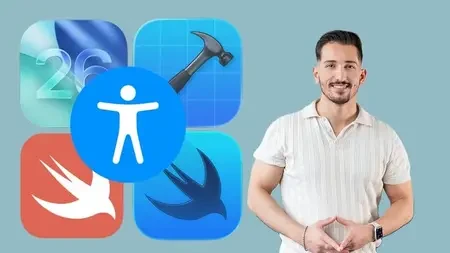
SwiftUI Accessibility Masterclass
Original price was: $20.00.$5.00Current price is: $5.00.
Description
Published 12/2025
Created by Ebu Celik
MP4 | Video: h264, 1920×1080 | Audio: AAC, 44.1 KHz, 2 Ch
Level: Intermediate | Genre: eLearning | Language: English | Duration: 14 Lectures ( 2h 4m ) | Size: 1.28 GB
Learn how to create fully accessible iOS apps using SwiftUI — including VoiceOver, Dynamic Type and focus control
What you’ll learn
Understand and apply the core principles of accessibility in SwiftUI
Use accessibility labels, hints, values, and traits correctly
Improve VoiceOver navigation and focus behavior
Support Dynamic Type and large text sizes
Use Xcode’s Accessibility Inspector and debugging tools effectively
Test your app with VoiceOver and real devices
Requirements
Basic SwiftUI knowledge
Mac running the latest macOS Tahoe 26
Xcode 26
An iPhone with iOS 26 for VoiceOver testing is recommended, but not required
Description
Building accessible apps is no longer optional in today’s iOS ecosystem—it’s a requirement. Apple continues to strengthen accessibility expectations, and users rely on assistive technologies like VoiceOver, Dynamic Type, and increased contrast modes more than ever. Yet, many SwiftUI apps still miss essential accessibility features, often unintentionally. This course is designed to change that.In the SwiftUI Accessibility Masterclass, you will learn how to build fully accessible iOS applications using modern, real-world techniques. This course takes a practical, hands-on approach, walking you step by step through the most important SwiftUI accessibility APIs, best practices from Apple’s Human Interface Guidelines, and common pitfalls to avoid. You’ll see concrete examples of how to write proper labels, hints, traits, values, and how to work effectively with VoiceOver and accessibility focus.Throughout the course, we will also cover advanced topics such as supporting Dynamic Type, improving readability through correct color contrast, designing adaptive layouts, and making both standard and custom controls fully accessible. You will learn how to test your app using Xcode’s Accessibility Inspector and how to evaluate your UI with real assistive tools on a device.By the end of this course, you’ll not only understand how to implement accessibility—you will understand why it matters and how it improves the overall quality of your app. Together, we’ll build a complete accessible SwiftUI application, giving you the confidence to apply these techniques to your own projects and to create inclusive, user-friendly, and App Store–ready experiences.
Who this course is for
SwiftUI developers who want to implement accessibility correctly
Developers making their existing apps accessible
iOS engineers preparing apps for App Store submission
Teams that need to meet WCAG or compliance requirements
Anyone who wants to specialize in Accessibility and stand out as an iOS developer
Designers and developers who want real, practical examples — not dry theory
Homepage
https://anonymz.com/?https://www.udemy.com/course/swiftui-accessibility-masterclass/
Shipping & Delivery
DIGITAL DELIVERY ONLY
This is digital product THE DOWNLOAD LINK SEND 12-24 HOURS AFTER UPON PURSUASE AND PAYMENT CLEARS"
- The digital files are uploaded on PCLOUD
- 12-24 hours delivery time
- the download links expire after 7 days and need to download them
- to renew the download link after expiration have one additional fee $5 per product
REQUESTS
Also we accept requests and course exchanges
In Course exchanges we are sending credits only
The credits will be the same price as we can sell course
"REFUNDS & RETURNS"
No Refunds on digital product
ONLY EXCHANGE
- Because of the abuse of the refunds from many customers i don't accept refunds
- We accept only 1 time exchange with product of the same price
- if you done mistake on the exchangeable product i don't recognize it as your mistake
- Exchanges only 3 days after the payment of your digital product. (if abused again i will do it 1 day)