- Business
- Esoteric
- Fitness & Gym
- Health
- Hypnosis
- Management
- Marketing & Selling
- Massage – SPA
- Parenting
- PUA Seduction
- Science
- Self Improvement
- Art
- Investing
- Painting & Sculpting
- Tai Chi & Martial Arts
- Qigong
- Taoism
- Design & Graphics
- Medicine
- Exams
- Spirituality & Religion
- Hobbies & Fixing & Woodworking
- Photography & Film Making
- Networking & Lan
- Forex & Trading
- IQ & Memory
- Vision & Eye Care
- Swimming & Scuba diving & Water Sports
- Security & Hacking
- Travel
- Cooking
- Driving & Flighting
- Languages
- Computers & Programming
- Building & Home Improvement
- Music
- Astronomy
- History
- Mathematics
- Philosophy
- Literature & Writing
- Economics & Finance
- Sewing
- Hunting
- Electronics
- Psychology & Psychiatry
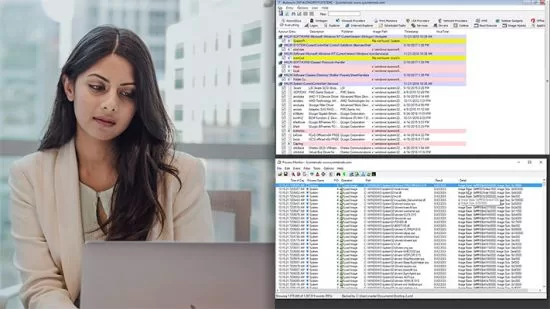


SysInternals Toolkit (Path)
$5.00
Description
Sami Laiho | Duration: 11h | Video: H264 1280×720 | Audio: AAC 44,1 kHz 2ch | 2,08 GB | Language: English
Sysinternals toolkit is the most downloaded troubleshooting toolkit from Microsoft. This learning path teaches the most required troubleshooting skills for anyone working with Windows operating system or applications running on top of it. This knowledge is vital to fresh newbies and most experienced admins. This course also teaches a lot about Windows OS internals.
What you will learn
• Working with the Sysinternals Toolkit
• Troubleshooting Processes with Process Explorer
• Troubleshooting Processes and Registry with Process Monitor
• Troubleshooting Memory and Disks with Sysinternals tools
• Troubleshooting Filesystems with Sysinternals tools
• Troubleshooting Security and Active Directory Issues with Sysinternals tools
• Troubleshooting Startup and Shutdown sequences with Sysinternals Tools
• Working with Memory Dumps and Debugging Using Sysinternals tools
• Exploring the Hidden Gems of Sysinternals toolkit
Courses in this path
1. Working with the SysInternals Toolkit (Sami Laiho, 2016)
2. Troubleshooting Processes with SysInternals Process Explorer (Sami Laiho, 2017)
3. Troubleshooting Processes and Registry with SysInternals Process Monitor (Sami Laiho, 2017)
4. Troubleshooting Memory and Disks with SysInternals Tools (Sami Laiho, 2017)
5. Troubleshooting Filesystems with SysInternals Tools (Sami Laiho, 2018)
6. Troubleshooting Security and Active Directory Issues with SysInternals Tools (Sami Laiho, 2018)
7. Troubleshooting Startup and Shutdown Sequences with SysInternals Tools (Sami Laiho, 2019)
8. Working with Memory Dumps and Debugging Using SysInternals Tools (Sami Laiho, 2019)
9. Exploring the Hidden Gems of SysInternals Toolkit (Sami Laiho, 2019)
HOMEPAGE
https://anonymz.com/?https://www.pluralsight.com/paths/sysinternals-toolkit-skill
Reviews (0)
Only logged in customers who have purchased this product may leave a review.
Shipping & Delivery
DIGITAL DELIVERY ONLY
This is digital product THE DOWNLOAD LINK SEND 12-24 HOURS AFTER UPON PURSUASE AND PAYMENT CLEARS"
- The digital files are uploaded on PCLOUD
- 12-24 hours delivery time
- the download links expire after 7 days and need to download them
- to renew the download link after expiration have one additional fee $5 per product
REQUESTS
Also we accept requests and course exchanges
In Course exchanges we are sending credits only
The credits will be the same price as we can sell course
"REFUNDS & RETURNS"
No Refunds on digital product
ONLY EXCHANGE
- Because of the abuse of the refunds from many customers i don't accept refunds
- We accept only 1 time exchange with product of the same price
- if you done mistake on the exchangeable product i don't recognize it as your mistake
- Exchanges only 3 days after the payment of your digital product. (if abused again i will do it 1 day)




Reviews
There are no reviews yet.