- Business
- Esoteric
- Fitness & Gym
- Health
- Hypnosis
- Management
- Marketing & Selling
- Massage – SPA
- Parenting
- PUA Seduction
- Science
- Self Improvement
- Art
- Investing
- Painting & Sculpting
- Tai Chi & Martial Arts
- Qigong
- Taoism
- Design & Graphics
- Medicine
- Exams
- Spirituality & Religion
- Hobbies & Fixing & Woodworking
- Photography & Film Making
- Networking & Lan
- Forex & Trading
- IQ & Memory
- Vision & Eye Care
- Swimming & Scuba diving & Water Sports
- Security & Hacking
- Travel
- Cooking
- Driving & Flighting
- Languages
- Computers & Programming
- Building & Home Improvement
- Music
- Astronomy
- History
- Mathematics
- Philosophy
- Literature & Writing
- Economics & Finance
- Sewing
- Hunting
- Electronics
- Psychology & Psychiatry
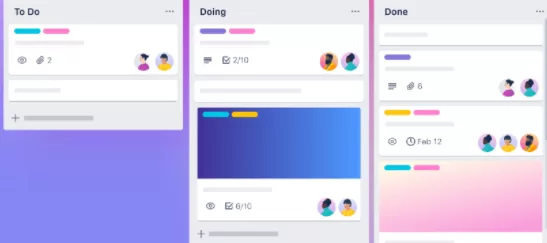


Trello Ultimate Course 2021
$5.00
Description
Created by Learn Tech Plus | Published 2/2020
Duration: 2h 38m | 16 sections | 89 lectures | Video: 1280×720, 44 KHz | 1.31 GB
Genre: eLearning | Language: English + Sub
Duration: 2h 38m | 16 sections | 89 lectures | Video: 1280×720, 44 KHz | 1.31 GB
Genre: eLearning | Language: English + Sub
Everything you need to know about Trello in 2021
What you’ll learn
Setup Free Account
Learn Trello
Learn Trello Menu and Interface
Boards
Templates
Create
Information
Notifications
Requirements
Willingness to Have Fun and Learn!Setup Free AccountHave Access to Trello AccountHave Access to Trello
Description
01. Introduction
001. Overview
02. Features
002. Overview
003. Boards
004. Cards
005. Automation
006. Integrat Apps
007. Summary
03. Pricing
008. Overview
009. Free
010. Business Class
011. Enterprise
012. Summary
04. Trello Tour
013. Overview
014. Tour
015. Summary
05. Templates
016. Overview
017. Featured
018. Business
019. Design
020. Education
021. Engineering
022. Marketing
023. HR & Operations
024. Personal
025. Productivity
026. Product Management
027. Project Management
028. Remote Work
029. Sales
030. Support
031. Team Management
032. Submit a Template
033. Summary
06. Trello Account
034. Overview
035. Signup
036. Summary
07. Workspace
037. Overview
038. Getting Started
039. Boards
040. Hightlights
041. Workspace Table
042. Members
043. Settings
044. Summary
08. Create
045. Overview
046. Create Board
047. Start with Template
048. Create Workspace
049. Create Business Workspace
050. Summary
09. Account
051. Overview
052. Profile and Visibility
053. Activity
054. Cards
055. Settings
056. Trello Gold
057. Summary
10. Boards
058. Overview
059. Starred Boards
060. Trello Workspace
061. Create New Board
062. Always Keep this Menu Open
063. See Closed Boards
064. Summary
11. Project – Website Projects
065. Overview
066. Create Board
067. Create Sections
068. Add Cards
069. Add Detail
070. Summary
12. Project – Website Bugs
071. Overview
072. Create Board
073. Create Sections
074. Add Cards
075. Add Detail
076. Summary
13. Conclusion
077. Summary
\n
SO, YOU’RE LOOKING FOR A COURSE THAT WILL TEACH YOU TRELLO QUICKLY & IN A FUN MANNER?
I’ve got just the course for you!
Welcome, my name is Josh Werner with Learn Tech Plus and I’ve put this course together to help people just like you quickly master Trello…Whether you’re a beginner or experienced with Trello!
If your goal is to become a master of Trello, then this course is perfect for you. It will get you started on the right path and give you the knowledge and skills you need to master Trello.
\n
LEARN TRELLO BY DOING!
We will go step by step and cover Trello. The goal here is to help you
A) Setup a Free Account with Trello
\n
Here’s what we’ll cover in the course:
\n
1. We’ll start from the very beginning and explain what Trello is, why & how it’s used.
2. Introduce you to Trello
\n
I’d love to see you inside and help you learn and master Trello!
Who this course is for:Beginner to Advanced Students wanting to Learn Trello
Reviews (0)
Only logged in customers who have purchased this product may leave a review.
Shipping & Delivery
DIGITAL DELIVERY ONLY
This is digital product THE DOWNLOAD LINK SEND 12-24 HOURS AFTER UPON PURSUASE AND PAYMENT CLEARS"
- The digital files are uploaded on PCLOUD
- 12-24 hours delivery time
- the download links expire after 7 days and need to download them
- to renew the download link after expiration have one additional fee $5 per product
REQUESTS
Also we accept requests and course exchanges
In Course exchanges we are sending credits only
The credits will be the same price as we can sell course
"REFUNDS & RETURNS"
No Refunds on digital product
ONLY EXCHANGE
- Because of the abuse of the refunds from many customers i don't accept refunds
- We accept only 1 time exchange with product of the same price
- if you done mistake on the exchangeable product i don't recognize it as your mistake
- Exchanges only 3 days after the payment of your digital product. (if abused again i will do it 1 day)


Reviews
There are no reviews yet.