- Business
- Esoteric
- Fitness & Gym
- Health
- Hypnosis
- Management
- Marketing & Selling
- Massage – SPA
- Parenting
- PUA Seduction
- Science
- Self Improvement
- Art
- Investing
- Painting & Sculpting
- Tai Chi & Martial Arts
- Qigong
- Taoism
- Design & Graphics
- Medicine
- Exams
- Spirituality & Religion
- Hobbies & Fixing & Woodworking
- Photography & Film Making
- Networking & Lan
- Forex & Trading
- IQ & Memory
- Vision & Eye Care
- Swimming & Scuba diving & Water Sports
- Security & Hacking
- Travel
- Cooking
- Driving & Flighting
- Languages
- Computers & Programming
- Building & Home Improvement
- Music
- Astronomy
- History
- Mathematics
- Philosophy
- Literature & Writing
- Economics & Finance
- Sewing
- Hunting
- Electronics
- Psychology & Psychiatry
-75%
Unreal Engine Login System: Google & Apple Sign-In With Aws
Original price was: $20.00.$5.00Current price is: $5.00.

Volume Analysis Trading with Technical Analysis Indicators
Original price was: $20.00.$5.00Current price is: $5.00.
Unreal Generalist: Cinematic Rendering Pipeline
Original price was: $20.00.$5.00Current price is: $5.00.
Description
Published 4/2026
Created by Alex Tjagnirjadko
MP4 | Video: h264, 1920×1080 | Audio: AAC, 44.1 KHz, 2 Ch
Level: All Levels | Genre: eLearning | Language: English | Duration: 16 Lectures ( 5h 43m ) | Size: 9.75 GB
Cinematic rendering in Unreal Engine. One click.
What you’ll learn
✓ Configure Movie Render Queue for production rendering
✓ Optimize Path Tracer settings for clean, high-quality frames
✓ Set up and tune Lumen for real-time cinematic output
✓ Decide when to use Lumen vs Path Tracer
✓ Render separate passes including beauty, fog, and VFX
✓ Composite renders in Nuke for final output
✓ Build a custom Blueprint tool for one – click rendering automation
Requirements
● Comfortable using Unreal Engine 5 and Sequencer, Solid understanding of Unreal Engine workflows, Familiarity with Blueprints and UI widgets, Basic understanding of rendering concepts
Description
Hi, I’m Alex Tjagnirjadko, Senior Environment Artist and Technical Artist at Moonraker VFX.
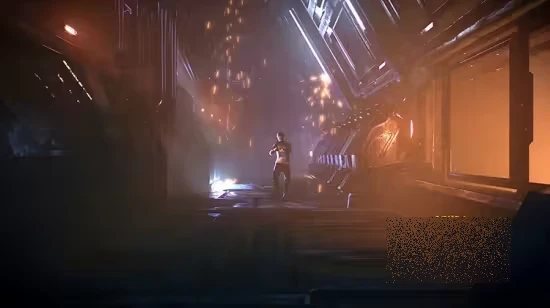
In this tutorial, I’ll show you how to build a complete cinematic rendering pipeline in Unreal Engine 5.7 using Lumen and Path Tracer. You’ll learn how to produce high – quality frames, render clean passes for fog and VFX, and composite everything together in Nuke. We’ll also build a custom one – click rendering tool based on Movie Render Queue to streamline your entire workflow. If you are tired of constantly setting up renders and just want super quick and easy solution – this course if for you.
What You’ll Learn
Configure Movie Render Queue for production rendering
Optimize Path Tracer settings for clean, high-quality frames
Set up and tune Lumen for real-time cinematic output
Decide when to use Lumen vs Path Tracer
Render separate passes including beauty, fog, and VFX
Composite renders in Nuke for final output
Build a custom Blueprint tool for one – click rendering automation
This tutorial is for
Unreal Engine generalists working on cinematic output
Environment and character artists creating rendered shots
Technical artists building rendering pipelines
Artists who want to switch from traditional VFX workflows to Unreal.
This tutorial is NOT for
Complete beginners with no Unreal Engine experience
Users looking for programming – focused workflows
Who this course is for
■ Unreal Engine generalists working on cinematic output Environment and character artists creating rendered shots Technical artists building rendering pipelines
Homepage
https://anonymz.com/?https://www.udemy.com/course/unreal-generalist-cinematic-rendering-pipeline
Shipping & Delivery
DIGITAL DELIVERY ONLY
This is digital product THE DOWNLOAD LINK SEND 12-24 HOURS AFTER UPON PURSUASE AND PAYMENT CLEARS"
- The digital files are uploaded on PCLOUD
- 12-24 hours delivery time
- the download links expire after 7 days and need to download them
- to renew the download link after expiration have one additional fee $5 per product
REQUESTS
Also we accept requests and course exchanges
In Course exchanges we are sending credits only
The credits will be the same price as we can sell course
"REFUNDS & RETURNS"
No Refunds on digital product
ONLY EXCHANGE
- Because of the abuse of the refunds from many customers i don't accept refunds
- We accept only 1 time exchange with product of the same price
- if you done mistake on the exchangeable product i don't recognize it as your mistake
- Exchanges only 3 days after the payment of your digital product. (if abused again i will do it 1 day)


