- Business
- Esoteric
- Fitness & Gym
- Health
- Hypnosis
- Management
- Marketing & Selling
- Massage – SPA
- Parenting
- PUA Seduction
- Science
- Self Improvement
- Art
- Investing
- Painting & Sculpting
- Tai Chi & Martial Arts
- Qigong
- Taoism
- Design & Graphics
- Medicine
- Exams
- Spirituality & Religion
- Hobbies & Fixing & Woodworking
- Photography & Film Making
- Networking & Lan
- Forex & Trading
- IQ & Memory
- Vision & Eye Care
- Swimming & Scuba diving & Water Sports
- Security & Hacking
- Travel
- Cooking
- Driving & Flighting
- Languages
- Computers & Programming
- Building & Home Improvement
- Music
- Astronomy
- History
- Mathematics
- Philosophy
- Literature & Writing
- Economics & Finance
- Sewing
- Hunting
- Electronics
- Psychology & Psychiatry

Use Java and Java FX on a Raspberry PI
Original price was: $20.00.$5.00Current price is: $5.00.

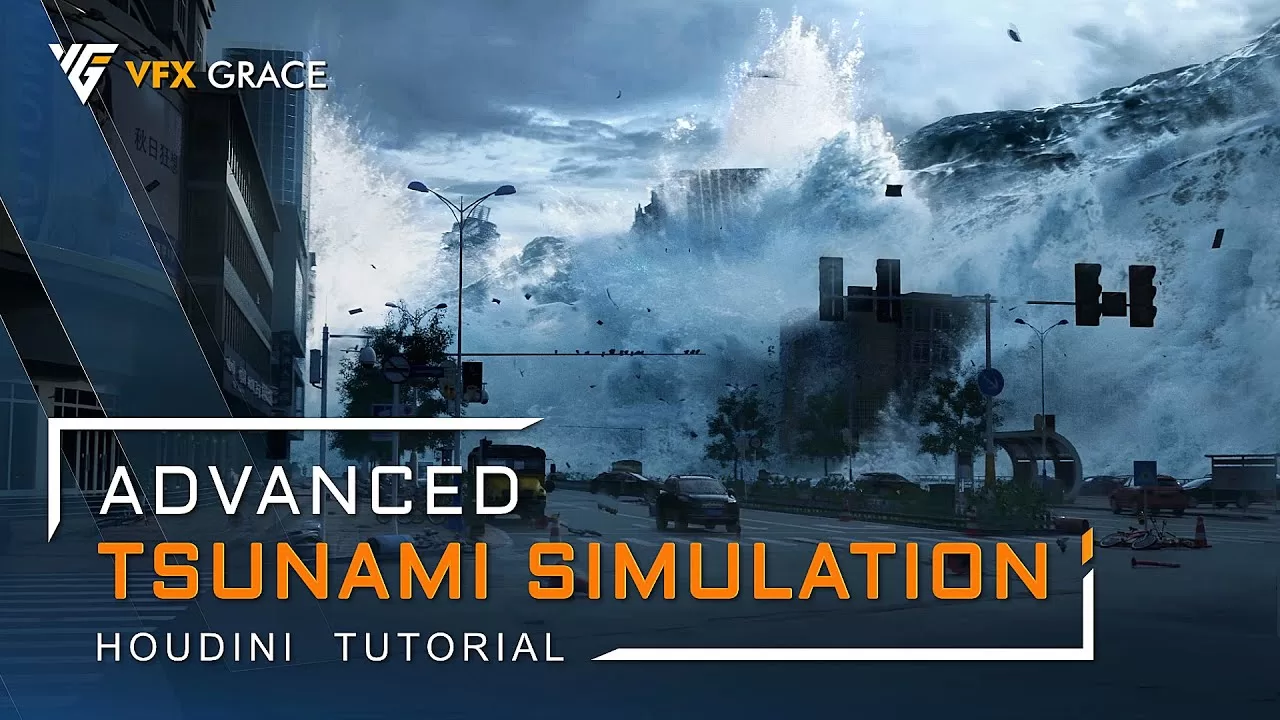
VFX Grace – Advanced Tsunami Simulation – Houdini Tutorial
$10.00
Description
Video: MPEG4 Video (H264) 1920×1080 30fps 577kbps | Audio: AAC 48000Hz stereo 128kbps
Genre: eLearning | Duration: 8hrs+ | Language: English | File size: 4.82 GB
This is a large-scale tsunami scene tutorial in Houdini, a comprehensive big case with a lot of FX elements. It tackles fluid simulation, RBD simulation, SBD simulation, etc., and is suitable for intermediate and advanced FX artists. Starting off with the animation of the tsunami mesh, I’ll walk you through the simulations of splashes, mist, building destruction, the dynamics of smaller elements, all the way to materials, rendering and final compositing.
For the fluid simulation, apart from FLIP and whitewater, I’ll also use POP to serve as particle sources and mist, which greatly relieves the calculation load. At the same time, I’ll introduce multiple approaches of source creation, and a bunch of particle optimization methods. Regarding FLIP, POP, and whitewater simulations, I’m gonna talk about basic parameters simulation ideas, and practical tips for using varied forces, fields, and attributes. In terms of the RBD simulation, I’ll show you the basic workflow of building destruction, and the solutions to some common issues. For the rendering part, I’ll share useful techniques to optimize the scene, and explain Mantra parameters and channel customization. Finally, in the compositing part, through useful color-grading tricks, the multi-channel compositing workflow, and the functions of data channels, I’ll create a realistic CG environment step-by-step, bringing you a clear and complete composting process. This tutorial also provides dozens of handy tips, like different ways for batch simulation, shortcuts to create deforming animation, What’s more, there will be experiences from my years of career, such as how to work in high efficiency, how to stay on track to your targets, and how to minimize the possibility of reworking. You’ll find this tutorial extremely rewarding. After it, you’ll be able to handle splashes and mist from collisions, and building destruction on your own.
Under the inspirations of this tutorial, you’ll reap valuable production ideas and problem-solving abilities, thus becoming more confident to take on large-scale fluid projects. Wanna better understand and master fluid and destruction techniques in Houdini? This tutorial is just for you. Join us now.
Contents
01_Tsunami Animation
02_Main Splashes_Source
03_Main Splashes_FLIP
04_Main Splashes_Whitewater and Mist
05_Main Splashes_Subsequent Simulations
06_Splash Collision_1
07_Building Destruction_1
08_Building Destruction_2
09_Splash Collision_2
10_Tsunami-Building Interaction
11_Mist over the Crests
12_Dynamics of Small Elements
13_Car Crash Simulation
14_Materials and Rendering
15_Compositing
HOMEPAGE
https://anonymz.com/?https://vfxgrace.gumroad.com/l/MSesa
Reviews (0)
Only logged in customers who have purchased this product may leave a review.
Shipping & Delivery
DIGITAL DELIVERY ONLY
This is digital product THE DOWNLOAD LINK SEND 12-24 HOURS AFTER UPON PURSUASE AND PAYMENT CLEARS"
- The digital files are uploaded on PCLOUD
- 12-24 hours delivery time
- the download links expire after 7 days and need to download them
- to renew the download link after expiration have one additional fee $5 per product
REQUESTS
Also we accept requests and course exchanges
In Course exchanges we are sending credits only
The credits will be the same price as we can sell course
"REFUNDS & RETURNS"
No Refunds on digital product
ONLY EXCHANGE
- Because of the abuse of the refunds from many customers i don't accept refunds
- We accept only 1 time exchange with product of the same price
- if you done mistake on the exchangeable product i don't recognize it as your mistake
- Exchanges only 3 days after the payment of your digital product. (if abused again i will do it 1 day)


Reviews
There are no reviews yet.