- Business
- Esoteric
- Fitness & Gym
- Health
- Hypnosis
- Management
- Marketing & Selling
- Massage – SPA
- Parenting
- PUA Seduction
- Science
- Self Improvement
- Art
- Investing
- Painting & Sculpting
- Tai Chi & Martial Arts
- Qigong
- Taoism
- Design & Graphics
- Medicine
- Exams
- Spirituality & Religion
- Hobbies & Fixing & Woodworking
- Photography & Film Making
- Networking & Lan
- Forex & Trading
- IQ & Memory
- Vision & Eye Care
- Swimming & Scuba diving & Water Sports
- Security & Hacking
- Travel
- Cooking
- Driving & Flighting
- Languages
- Computers & Programming
- Building & Home Improvement
- Music
- Astronomy
- History
- Mathematics
- Philosophy
- Literature & Writing
- Economics & Finance
- Sewing
- Hunting
- Electronics
- Psychology & Psychiatry
-75%
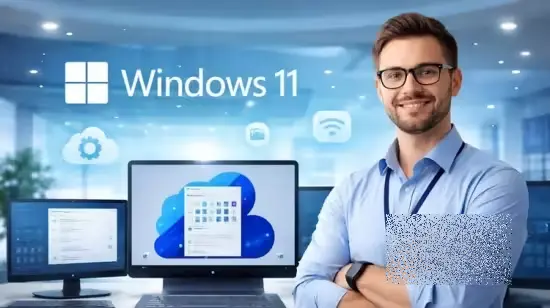

Windows 11 for Power Users
Original price was: $20.00.$5.00Current price is: $5.00.

Wine Basics Made Simple: Tasting Skills, Pairing, And Region
Original price was: $20.00.$5.00Current price is: $5.00.
Windows 11 Training for IT Professionals
Original price was: $20.00.$5.00Current price is: $5.00.
Description
Published 3/2026
Created by Jobskillshare Community
MP4 | Video: h264, 1920×1080 | Audio: AAC, 44.1 KHz, 2 Ch
Level: Beginner | Genre: eLearning | Language: English | Duration: 73 Lectures ( 9h 47m ) | Size: 7.07 GB
Windows 11, Windows
What you’ll learn
✓ Install and configure Windows 11 in physical machines and virtual environments
✓ Understand Windows 11 editions (Home, Pro, Enterprise) and licensing differences
✓ Create and manage local users, groups, and desktop environments
✓ Perform file management, storage management, and system cleanup
✓ Configure network settings, proxy servers, and cloud storage integration
✓ Troubleshoot performance issues, system errors, and Blue Screen (BSOD) problems
✓ Enable and use Windows Subsystem for Linux (WSL) and Hyper-V virtualization
Requirements
● Basic computer knowledge (using files, folders, and applications)
● Willingness to practice system settings and administrative tasks
Description
Windows 11 Training for IT Professionals
From Installation to Administration, Security, Networking, and Advanced Tools
Windows 11 is the modern operating system used across enterprises, IT environments, and professional workstations. Understanding how to configure, manage, and troubleshoot Windows 11 is an essential skill for IT support specialists, system administrators, and technology professionals.
This course provides a complete hands-on guide to Windows 11, starting from installation and system configuration and progressing to advanced features such as device management, networking, security, virtualization, and developer tools.
Instead of focusing only on theory, the training demonstrates practical configuration and real administrative tasks that IT professionals perform in real environments.
What You Will Learn
By the end of this course, you will be able to
Install and configure Windows 11 from scratch
Understand Windows licensing editions (Home, Pro, Enterprise)
Manage local users, groups, and desktop environments
Perform file management, storage configuration, and system cleanup
Configure Windows settings, updates, and accessibility features
Secure systems using BitLocker, Windows Defender, and privacy settings
Manage devices and applications using Microsoft Intune
Configure networking, proxy settings, and cloud storage integration
Troubleshoot Windows performance issues and system errors
Diagnose and resolve Blue Screen of Death (BSOD) problems
Use productivity features such as shortcuts, clipboard history, and search
Work with PowerShell, Windows Terminal, and developer tools
Deploy virtual machines using Hyper-V and enable WSL
Configure media services, IIS web servers, and Windows Sandbox
Recover data and implement system restore and recovery options
Integrate Windows 11 with cloud services and Android devices
Who this course is for
■ Beginners who want to learn how Windows 11 works in professional environments
■ IT students preparing for technical support or system administration roles
Homepage
https://anonymz.com/?https://www.udemy.com/course/windows-11-training-for-it-professionals
Shipping & Delivery
DIGITAL DELIVERY ONLY
This is digital product THE DOWNLOAD LINK SEND 12-24 HOURS AFTER UPON PURSUASE AND PAYMENT CLEARS"
- The digital files are uploaded on PCLOUD
- 12-24 hours delivery time
- the download links expire after 7 days and need to download them
- to renew the download link after expiration have one additional fee $5 per product
REQUESTS
Also we accept requests and course exchanges
In Course exchanges we are sending credits only
The credits will be the same price as we can sell course
"REFUNDS & RETURNS"
No Refunds on digital product
ONLY EXCHANGE
- Because of the abuse of the refunds from many customers i don't accept refunds
- We accept only 1 time exchange with product of the same price
- if you done mistake on the exchangeable product i don't recognize it as your mistake
- Exchanges only 3 days after the payment of your digital product. (if abused again i will do it 1 day)


