- Business
- Esoteric
- Fitness & Gym
- Health
- Hypnosis
- Management
- Marketing & Selling
- Massage – SPA
- Parenting
- PUA Seduction
- Science
- Self Improvement
- Art
- Investing
- Painting & Sculpting
- Tai Chi & Martial Arts
- Qigong
- Taoism
- Design & Graphics
- Medicine
- Exams
- Spirituality & Religion
- Hobbies & Fixing & Woodworking
- Photography & Film Making
- Networking & Lan
- Forex & Trading
- IQ & Memory
- Vision & Eye Care
- Swimming & Scuba diving & Water Sports
- Security & Hacking
- Travel
- Cooking
- Driving & Flighting
- Languages
- Computers & Programming
- Building & Home Improvement
- Music
- Astronomy
- History
- Mathematics
- Philosophy
- Literature & Writing
- Economics & Finance
- Sewing
- Hunting
- Electronics
- Psychology & Psychiatry
-75%

Alzheimer's And Dementia Care Certification Course
Original price was: $20.00.$5.00Current price is: $5.00.

Basic Technical Analysis
Original price was: $20.00.$5.00Current price is: $5.00.
Background Timer App In Swiftui & Ios
Original price was: $20.00.$5.00Current price is: $5.00.
Description
Published 2/2025
MP4 | Video: h264, 1920×1080 | Audio: AAC, 44.1 KHz
Language: English | Size: 653.07 MB | Duration: 1h 15m
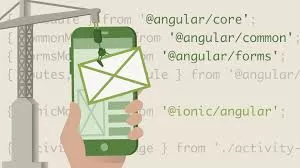
Build Efficient iOS Timer with Background Notification
What you’ll learn
Building a Background Timer – Learn how to create a functional timer that runs even when the app is in the background using SwiftUI and iOS frameworks.
Handling Background Execution – Understand iOS background task limitations and how to keep tasks running efficiently within system constraints.
State Management in SwiftUI – Use @State, @Published, and Combine to manage timer updates and UI responsiveness.
Optimizing for Real-World Use – Implement best practices for power efficiency, notifications, and smooth user experience while using background timers.
Requirements
Xcode knowledge
Swift knowledge
iOS knowledge
Description
Are you an iOS developer looking to implement background timers in your SwiftUI app? Apple’s background execution policies can make it challenging to keep a timer running when the app is minimized or the screen is locked. This course will guide you through building a fully functional background timer that works seamlessly within iOS constraints.In this course, you’ll learn how timers behave in the foreground and background, explore iOS’s background execution limits, and implement practical solutions to ensure your app stays responsive. You’ll also discover state management techniques using @State, @Published, and Combine, allowing for smooth real-time updates.We will start by building a basic timer in SwiftUI and then enhance it to work in the background using background tasks, notifications, and system optimizations. By the end of this course, you will have a solid understanding of how to create a power-efficient, user-friendly timer app that meets Apple’s best practices.What You’ll Learn:How to create a timer that continues running even when the app is in the background.Understanding background execution policies and their impact on timers.Managing state efficiently using SwiftUI property wrappers and Combine.Using local notifications to keep users informed when the app is inactive.Optimizing the timer to be battery-efficient and reliable.Who Is This Course For?This course is designed for iOS developers and SwiftUI learners who want to build apps with persistent timers while ensuring smooth performance and compliance with Apple’s background execution policies.By the end of this course, you’ll have a fully functional background timer app ready to be integrated into your iOS projects. Let’s get started!
This course is for iOS developers and SwiftUI enthusiasts who want to build background timers in their apps.
Homepage
https://anonymz.com/?https://www.udemy.com/course/background-timer-app-in-swiftui-ios/
Shipping & Delivery
DIGITAL DELIVERY ONLY
This is digital product THE DOWNLOAD LINK SEND 12-24 HOURS AFTER UPON PURSUASE AND PAYMENT CLEARS"
- The digital files are uploaded on PCLOUD
- 12-24 hours delivery time
- the download links expire after 7 days and need to download them
- to renew the download link after expiration have one additional fee $5 per product
REQUESTS
Also we accept requests and course exchanges
In Course exchanges we are sending credits only
The credits will be the same price as we can sell course
"REFUNDS & RETURNS"
No Refunds on digital product
ONLY EXCHANGE
- Because of the abuse of the refunds from many customers i don't accept refunds
- We accept only 1 time exchange with product of the same price
- if you done mistake on the exchangeable product i don't recognize it as your mistake
- Exchanges only 3 days after the payment of your digital product. (if abused again i will do it 1 day)