- Business
- Esoteric
- Fitness & Gym
- Health
- Hypnosis
- Management
- Marketing & Selling
- Massage – SPA
- Parenting
- PUA Seduction
- Science
- Self Improvement
- Art
- Investing
- Painting & Sculpting
- Tai Chi & Martial Arts
- Qigong
- Taoism
- Design & Graphics
- Medicine
- Exams
- Spirituality & Religion
- Hobbies & Fixing & Woodworking
- Photography & Film Making
- Networking & Lan
- Forex & Trading
- IQ & Memory
- Vision & Eye Care
- Swimming & Scuba diving & Water Sports
- Security & Hacking
- Travel
- Cooking
- Driving & Flighting
- Languages
- Computers & Programming
- Building & Home Improvement
- Music
- Astronomy
- History
- Mathematics
- Philosophy
- Literature & Writing
- Economics & Finance
- Sewing
- Hunting
- Electronics
- Psychology & Psychiatry
-75%

udemy - Calculus 3 (multivariable calculus), part 2 of 2
Original price was: $20.00.$5.00Current price is: $5.00.

Wireshark: Functionality
Original price was: $20.00.$5.00Current price is: $5.00.
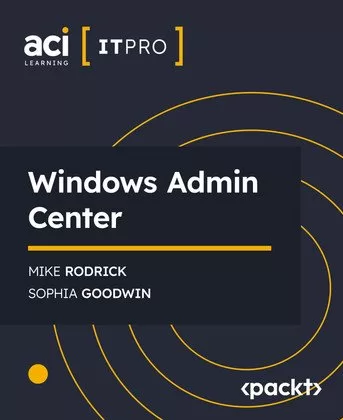
Windows Admin Center
Original price was: $20.00.$5.00Current price is: $5.00.
Description
Published 8/2024
MP4 | Video: h264, 1280×720 | Audio: AAC, 44.1 KHz, 2 Ch
Language: English | Duration: 3h 15m | Size: 1.02 GB
Dive into the comprehensive world of Windows Admin Center, a modern and efficient management tool designed to streamline IT administration tasks. This video series starts with an overview of Windows Admin Center, explaining its significance and integration with other management tools. You’ll learn the installation and configuration process for various operating systems, including Windows 10 and Windows Server.
The series then explores advanced configurations, including user roles, access permissions, and effective access control. You’ll also cover the installation and use of extensions to expand Windows Admin Center’s functionality. Practical insights into preparing your environment, adding and managing nodes, and overseeing Windows Servers and Windows 10 PCs are provided.
In the final section, you’ll connect your on-premises environment to Azure, learning how to deploy and manage Azure VMs directly from Windows Admin Center. By the end of this series, you’ll have a solid foundation in using Windows Admin Center to manage diverse environments, streamlining IT operations and enhancing administrative capabilities.
What you will learn
Install and configure Windows Admin Center
Manage user access and permissions
Utilize extensions to enhance functionality
Prepare and manage Windows Servers and PCs
Connect and manage Azure VMs from Windows Admin Center
Audience
This course is ideal for IT professionals, system administrators, and network engineers seeking to enhance their skills in managing Windows environments. Basic knowledge of Windows Server and client operating systems is recommended.
About the Authors
ACI Learning: ACI Learning trains leaders in Cybersecurity, Audit, and Information Technology. Whether starting an IT career, mastering a profession, or developing a team, they provide essential support at every step.
Mike Rodrick: Mike Rodrick, the host, has more than 15 years of IT instruction experience, including 10 years as a Microsoft Certified Trainer. Mike became an ITProTV Edutainer in 2014. Certifications: GIAC Security Essentials; Azure Fundamentals; Microsoft 365 Fundamentals; Cybersec First Responder; CompTIA ITF+, A+, Network+, Security+, Project+; MCP; MCT; MCDST; MCITP; MCTS; MCSA; MCSE; MCDBA; Certified Ethical Hacker; Certified Wireless Administrator; Certified Internet Web Professional
Sophia Goodwin: Sophia’s background spans over eight years as a film and voice talent, with experience in eLearning content, independent films, TV & web commercials, and video games. She joined ACI Learning while completing her BS in Telecommunication at the University of Florida. Apart from her work as an Edutainer, Sophie is also involved in other aspects of the entertainment industry.
Shipping & Delivery
DIGITAL DELIVERY ONLY
This is digital product THE DOWNLOAD LINK SEND 12-24 HOURS AFTER UPON PURSUASE AND PAYMENT CLEARS"
- The digital files are uploaded on PCLOUD
- 12-24 hours delivery time
- the download links expire after 7 days and need to download them
- to renew the download link after expiration have one additional fee $5 per product
REQUESTS
Also we accept requests and course exchanges
In Course exchanges we are sending credits only
The credits will be the same price as we can sell course
"REFUNDS & RETURNS"
No Refunds on digital product
ONLY EXCHANGE
- Because of the abuse of the refunds from many customers i don't accept refunds
- We accept only 1 time exchange with product of the same price
- if you done mistake on the exchangeable product i don't recognize it as your mistake
- Exchanges only 3 days after the payment of your digital product. (if abused again i will do it 1 day)


