- Business
- Esoteric
- Fitness & Gym
- Health
- Hypnosis
- Management
- Marketing & Selling
- Massage – SPA
- Parenting
- PUA Seduction
- Science
- Self Improvement
- Art
- Investing
- Painting & Sculpting
- Tai Chi & Martial Arts
- Qigong
- Taoism
- Design & Graphics
- Medicine
- Exams
- Spirituality & Religion
- Hobbies & Fixing & Woodworking
- Photography & Film Making
- Networking & Lan
- Forex & Trading
- IQ & Memory
- Vision & Eye Care
- Swimming & Scuba diving & Water Sports
- Security & Hacking
- Travel
- Cooking
- Driving & Flighting
- Languages
- Computers & Programming
- Building & Home Improvement
- Music
- Astronomy
- History
- Mathematics
- Philosophy
- Literature & Writing
- Economics & Finance
- Sewing
- Hunting
- Electronics
- Psychology & Psychiatry
Back to products


Mandarin Chinese Pronunciation 1
Original price was: $20.00.$5.00Current price is: $5.00.
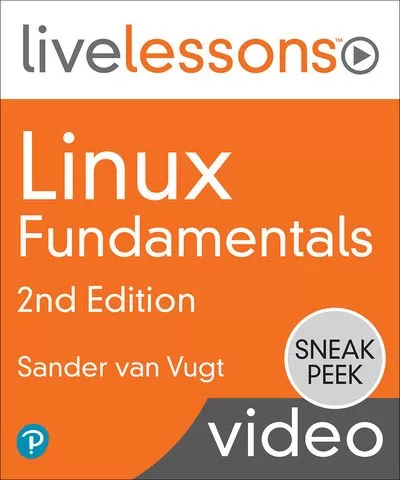
Linux Fundamentals, 2nd Edition
$5.00
Description
MP4 | Video: AVC 1280 x 720 | Audio: AAC 44 Khz 2ch | Duration: 10:21:34 | 2.17 GB
Genre: eLearning | Language: English
10+ Hours of Video Instruction
More than 10 hours of video instruction to get you up and running with Linux.
Overview
Linux Fundamentals LiveLessons has more than 10 hours of comprehensive video training for you to find everything you need to build a strong understanding of working with Linux. This comprehensive video course includes coverage of Linux basics, concepts, practices, and theories, so you can get the foundational knowledge of Linux you need to start your Linux career.
Sander van Vugt will guide you through gaining an in-depth understanding of Linux. This full-featured video course includes a combination of active Linux demonstrations, lightboard instruction, and hands-on labs, providing a unique offering that gives you a full toolkit to enhance your learning and provide a seamless path forward should you want to get certified for Linux. This is a great first course for anyone wanting to pursue an RHCSA, Linux Foundation, or CompTIA Linux+ certification, or other entry-level Linux exams.
Each lesson ends with a hands-on lab, giving you the opportunity to test out the skills and knowledge you have learned. The instructor then walks you through each Lab Solution so you can compare how you did with his work.
Topics include
Module 1: Essential Commands Module 2: User and Group Management and Permissions Module 3: Operating Running Systems
About the Instructor
Sander van Vugt has many years of experience working with, writing about, and teaching Linux and Open-Source topics. He is the author of the best-selling Red Hat RHCSA and RHCE Cert Guides as well as a number of other titles on Kubernetes (including CKAD and CKA), Ansible, Containers, Bash, Microservices, and more. Sander also works as a Linux and DevOps instructor, teaching onsite and online classes for customers around the world.
Skill Level
Beginner
Learn How To
Install Linux
Use essential tools
Manage Files
Work with text files
Log in and run tasks with administrator privileges
Work with the Bash Shell
Manage Users and Groups
Manage Permissions
Store Management Essentials
Manage networking
Work with Systemd
Manage software and SSH
Manage Time
Work with processes
Schedule tasks
Read log files
Who Should Take This Course
Administrators and developers who want to become familiar with the Linux operating system
Anyone who needs basic Linux skills for working with Linux in cloud, container or Kubernetes environments
Anyone taking the LFC and Linux+ exams
Course Requirements
Students should be able to install a virtual machine that runs Linux. Further instructions about installation are provided in Lesson 1 of this video course.
Reviews (0)
Only logged in customers who have purchased this product may leave a review.
Shipping & Delivery
DIGITAL DELIVERY ONLY
This is digital product THE DOWNLOAD LINK SEND 12-24 HOURS AFTER UPON PURSUASE AND PAYMENT CLEARS"
- The digital files are uploaded on PCLOUD
- 12-24 hours delivery time
- the download links expire after 7 days and need to download them
- to renew the download link after expiration have one additional fee $5 per product
REQUESTS
Also we accept requests and course exchanges
In Course exchanges we are sending credits only
The credits will be the same price as we can sell course
"REFUNDS & RETURNS"
No Refunds on digital product
ONLY EXCHANGE
- Because of the abuse of the refunds from many customers i don't accept refunds
- We accept only 1 time exchange with product of the same price
- if you done mistake on the exchangeable product i don't recognize it as your mistake
- Exchanges only 3 days after the payment of your digital product. (if abused again i will do it 1 day)




Reviews
There are no reviews yet.