- Business
- Esoteric
- Fitness & Gym
- Health
- Hypnosis
- Management
- Marketing & Selling
- Massage – SPA
- Parenting
- PUA Seduction
- Science
- Self Improvement
- Art
- Investing
- Painting & Sculpting
- Tai Chi & Martial Arts
- Qigong
- Taoism
- Design & Graphics
- Medicine
- Exams
- Spirituality & Religion
- Hobbies & Fixing & Woodworking
- Photography & Film Making
- Networking & Lan
- Forex & Trading
- IQ & Memory
- Vision & Eye Care
- Swimming & Scuba diving & Water Sports
- Security & Hacking
- Travel
- Cooking
- Driving & Flighting
- Languages
- Computers & Programming
- Building & Home Improvement
- Music
- Astronomy
- History
- Mathematics
- Philosophy
- Literature & Writing
- Economics & Finance
- Sewing
- Hunting
- Electronics
- Psychology & Psychiatry
-75%

LittleAdventurerAndie:Make a 2D TOP-DOWN Game with Godot 4.5
Original price was: $20.00.$5.00Current price is: $5.00.

Marketing Mix Masterclass: Build Real & Strategic Brands
Original price was: $20.00.$5.00Current price is: $5.00.
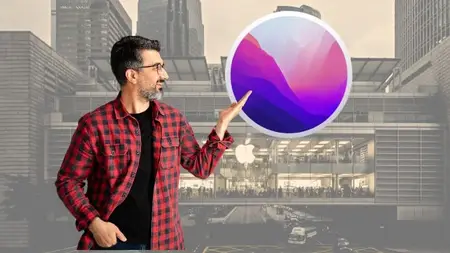
Macos Monterey: Learn To Use Your Mac In Easy Way!
Original price was: $20.00.$5.00Current price is: $5.00.
Description
Published 10/2025
MP4 | Video: h264, 1920×1080 | Audio: AAC, 44.1 KHz
Language: English | Size: 5.33 GB | Duration: 4h 23m
Learn about MacOS Monterey
What you’ll learn
Navigating the macOS Monterey interface
Using the desktop and managing windows with red, yellow, and green buttons
Operating the mouse and customizing its functions
PDF creation and document exporting
Familiarity with system preferences and setting adjustments
Organizing files and folders efficiently
Using Finder for advanced file management
Creating and managing smart folders
Text editing and using shortcuts for productivity
Mastering Safari for web browsing, privacy, and security
Managing bookmarks and utilizing the Safari Reading List
Enhancing performance in Safari
Utilizing essential macOS apps like Calendar, Notes, and Reminders
Discovering and installing apps from the App Store
Customizing the desktop environment and screensaver
Adding custom shortcuts and widgets
Maintaining system security and performing storage management
Using iCloud for storage and synchronization
Sharing files with AirDrop and connecting Bluetooth devices
Capturing screenshots and recording the screen
Uninstalling apps correctly to save space
Switching between Light and Dark Mode
Exploring additional features for a tailored Mac experience
Requirements
Internet connection
Eager to learn
Description
Welcome to this course, MacOS Monterey: Learn to Use Your Mac in Easy Way!Dive into the essentials and beyond with “Master Apple macOS Monterey: The Complete Course in 2025.” This comprehensive curriculum is meticulously designed to guide beginners and seasoned users alike through the intricacies of macOS Monterey. With over 4 hours of quality video content, you’ll start with the fundamentals, mastering the desktop and system preferences, before advancing to file organization, text manipulation, and exploring the best features of Safari. Delve into essential apps and fine-tune your setup with customization lectures to fit your unique needs. Elevate your skills with sections on system security, connectivity, and hidden features like screenshot mastery and dark mode. Each lecture is crafted to enhance your fluency and comfort with your Mac, ensuring by course completion, you’ll navigate macOS Monterey with the confidence and efficiency of a power user. Join us to unlock the full potential of your Mac experience!Discover the versatility of macOS through essential applications such as Calendar, Reminders, Notes, and the App Store, enhancing your day-to-day productivity.Experience the best of Apple’s built-in browser with our Safari-centric modules, where privacy and efficiency take the forefront.For users keen on security and maintenance, we cover the essentials of Mac details, storage, and system security, ensuring your system runs smoothly and securely. Embrace the power of connectivity with iCloud, AirDrop, and Bluetooth, and transcend basic use with features like screenshot and screen recording tools, Night Shift, and Dark Mode.Thank for this course, MacOS Monterey: Learn to Use Your Mac in Easy Way!Enroll now!
Individuals new to macOS or upgrading to macOS Monterey,Current Mac users looking to deepen their knowledge of macOS features,Professionals seeking to streamline their workflow on a Mac,Students and educators requiring comprehensive understanding of macOS for academic purposes,Creatives and developers who want to optimize their use of macOS for productivity,Anyone interested in personalizing their Mac’s functionality and settings,Mac enthusiasts aiming to stay current with the latest macOS capabilities,Users concerned with security and privacy on their Mac devices,People working in tech support or administrative roles who manage macOS environments,Casual Mac users who wish to become power users
Homepage
https://anonymz.com/?https://www.udemy.com/course/macos-monterey-learn-to-use-your-mac-in-easy-way/
Shipping & Delivery
DIGITAL DELIVERY ONLY
This is digital product THE DOWNLOAD LINK SEND 12-24 HOURS AFTER UPON PURSUASE AND PAYMENT CLEARS"
- The digital files are uploaded on PCLOUD
- 12-24 hours delivery time
- the download links expire after 7 days and need to download them
- to renew the download link after expiration have one additional fee $5 per product
REQUESTS
Also we accept requests and course exchanges
In Course exchanges we are sending credits only
The credits will be the same price as we can sell course
"REFUNDS & RETURNS"
No Refunds on digital product
ONLY EXCHANGE
- Because of the abuse of the refunds from many customers i don't accept refunds
- We accept only 1 time exchange with product of the same price
- if you done mistake on the exchangeable product i don't recognize it as your mistake
- Exchanges only 3 days after the payment of your digital product. (if abused again i will do it 1 day)


