- Business
- Esoteric
- Fitness & Gym
- Health
- Hypnosis
- Management
- Marketing & Selling
- Massage – SPA
- Parenting
- PUA Seduction
- Science
- Self Improvement
- Art
- Investing
- Painting & Sculpting
- Tai Chi & Martial Arts
- Qigong
- Taoism
- Design & Graphics
- Medicine
- Exams
- Spirituality & Religion
- Hobbies & Fixing & Woodworking
- Photography & Film Making
- Networking & Lan
- Forex & Trading
- IQ & Memory
- Vision & Eye Care
- Swimming & Scuba diving & Water Sports
- Security & Hacking
- Travel
- Cooking
- Driving & Flighting
- Languages
- Computers & Programming
- Building & Home Improvement
- Music
- Astronomy
- History
- Mathematics
- Philosophy
- Literature & Writing
- Economics & Finance
- Sewing
- Hunting
- Electronics
- Psychology & Psychiatry
-75%

Understanding Switchboards - Electrical Panels
Original price was: $20.00.$5.00Current price is: $5.00.

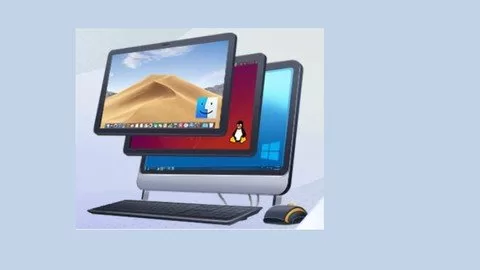
Virtual Machines for beginners
Original price was: $20.00.$5.00Current price is: $5.00.
Description
MP4 | Video: h264, 1280×720 | Audio: AAC, 44.1 KHz
Language: English | Size: 329 MB | Duration: 57m
Learn how to create virtual machines step by step
What you’ll learn
Create virtual machines
Enable virtualization on host machine
Enable guest additions
Setup communication between host machine and virtual machines
Install another operating system into virtual machine
Install applications into virtual machines
Requirements
No experience required
Description
A virtual machine, commonly shortened to just VM, is no different than any other physical computer like a laptop, smart phone, or server. It has a CPU, memory, disks to store your files, and can connect to the internet if needed. While the parts that make up your computer (called hardware) are physical and tangible, VMs are often thought of as virtual computers or software-defined computers within physical servers, existing only as code.
Virtualisation is the process of creating a software-based, or “virtual” version of a computer, with dedicated amounts of CPU, memory, and storage that are “borrowed” from a physical host computer—such as your personal computer— and/or a remote server—such as a server in a cloud provider’s datacentre. A virtual machine is a computer file, typically called an image, that behaves like an actual computer. It can run in a window as a separate computing environment, often to run a different operating system—or even to function as the user’s entire computer experience—as is common on many people’s work computers. The virtual machine is partitioned from the rest of the system, meaning that the software inside a VM can’t interfere with the host computer’s primary operating system.
Here are a few ways virtual machines are used
Building and deploying apps to the cloud.
Trying out a new operating system (OS), including beta releases.
Spinning up a new environment to make it simpler and quicker for developers to run dev-test scenarios.
Backing up your existing OS.
Accessing virus-infected data or running an old application by installing an older OS.
Running software or apps on operating systems that they weren’t originally intended for.
Who this course is for
Anyone who wants to learn how to create virtual machines
HOMEPAGE
https://anonymz.com/?https://www.udemy.com/course/virtual-machines-for-beginners/
Reviews (0)
Only logged in customers who have purchased this product may leave a review.
Shipping & Delivery
DIGITAL DELIVERY ONLY
This is digital product THE DOWNLOAD LINK SEND 12-24 HOURS AFTER UPON PURSUASE AND PAYMENT CLEARS"
- The digital files are uploaded on PCLOUD
- 12-24 hours delivery time
- the download links expire after 7 days and need to download them
- to renew the download link after expiration have one additional fee $5 per product
REQUESTS
Also we accept requests and course exchanges
In Course exchanges we are sending credits only
The credits will be the same price as we can sell course
"REFUNDS & RETURNS"
No Refunds on digital product
ONLY EXCHANGE
- Because of the abuse of the refunds from many customers i don't accept refunds
- We accept only 1 time exchange with product of the same price
- if you done mistake on the exchangeable product i don't recognize it as your mistake
- Exchanges only 3 days after the payment of your digital product. (if abused again i will do it 1 day)



Reviews
There are no reviews yet.